Cutter++ is a plugin for Cutter that brings an interactive C++ REPL directly into your reverse engineering workflow.
Instead of writing Python scripts or compiling native plugins, you can write and execute modern C++23 snippets against the currently opened binary in real time.
Powered by ICPP, Cutter++ turns C++ into a scripting language for reverse engineering.
ICPP allows C++ to be executed interactively with minimal startup overhead, making it practical to use C++ as an embedded scripting language.
This enables reverse engineers to use:
- Templates
- Concepts
- STL
- Ranges
- Existing C++ headers/libraries without leaving Cutter.
Python made scripting popular.
Cutter++ brings the expressiveness, performance, and ecosystem of modern C++ to interactive reverse engineering.
The goal is not to replace Python.
The goal is to make modern C++ a first-class language for binary analysis.
- Reverse engineers
- Malware analysts
- Security researchers
- CTF players
- Compiler developers
- Firmware researchers
- Binary instrumentation developers
If you already think in C++, Cutter++ lets you stay in C++ while exploring binaries.
Reverse engineers frequently need to automate repetitive analysis tasks:
- Rename functions
- Traverse control-flow graphs
- Analyze cross references
- Search for patterns
- Patch binaries
- Build custom analysis tools
Today there are generally two options:
- Python scripting
- Fast iteration
- Dynamic
- Limited access to existing C++ libraries
- No templates or compile-time programming
- Native C++ plugins
- Maximum performance
- Full language support
- Slow development cycle
- Requires compilation and restarting Cutter
Cutter++ fills the gap by combining the convenience of scripting with the power of modern C++.
#include <cutter/core/Cutter.h>
#include <Cutter++.h>

int main() {
    Core()->message("Hello, Cutter.");
    cpp::print("Hello, Cutter++.");
    return 0;
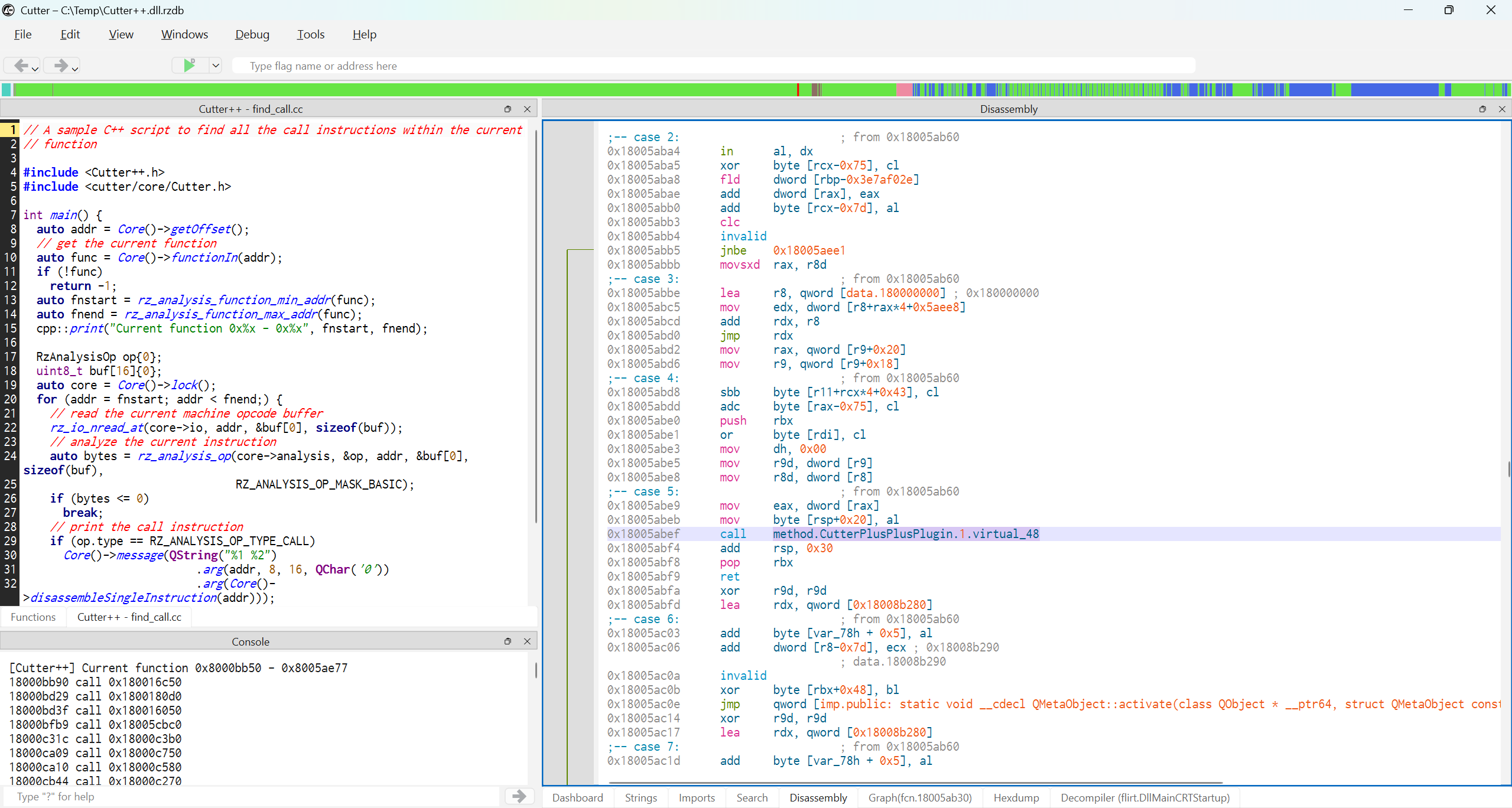
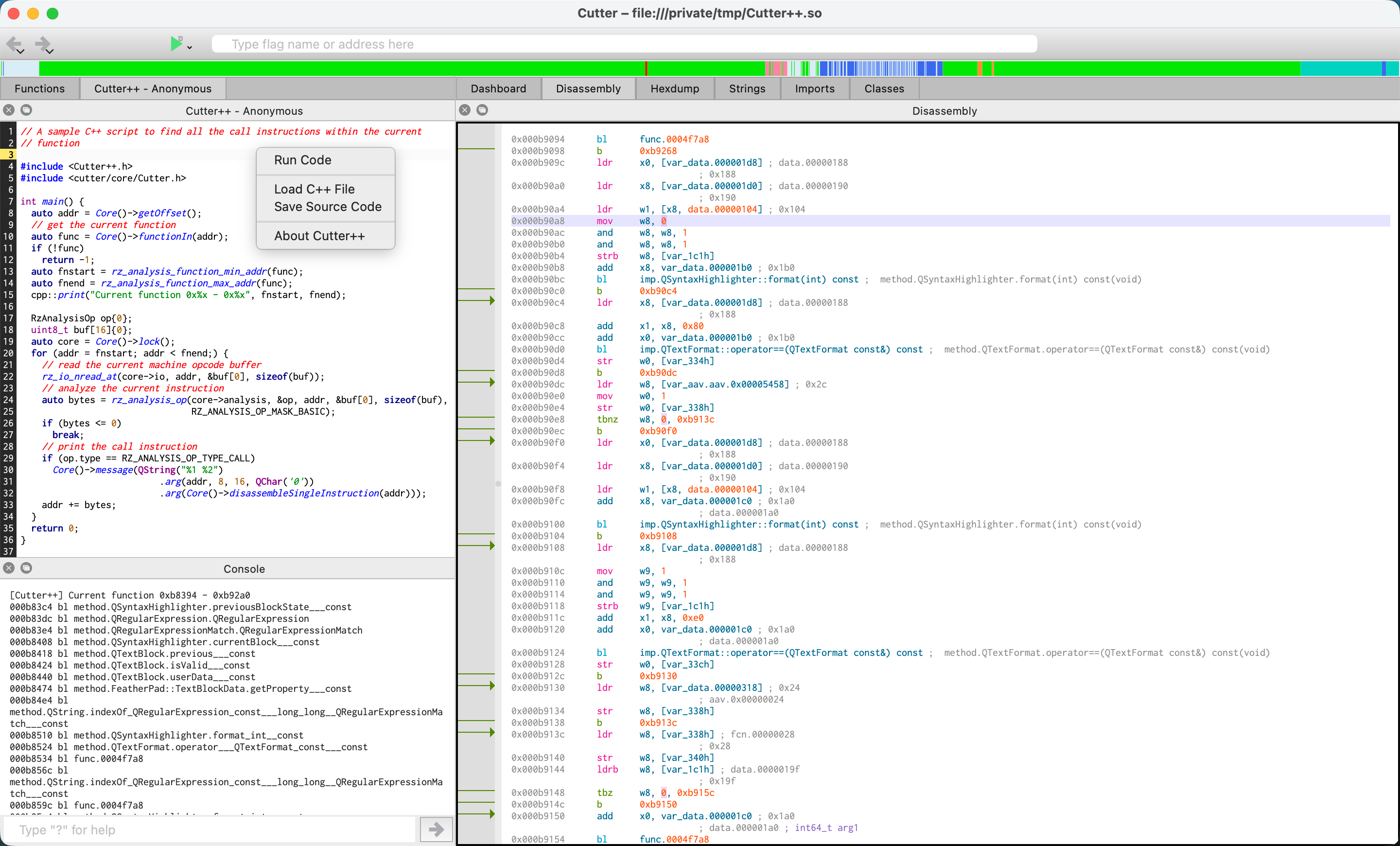
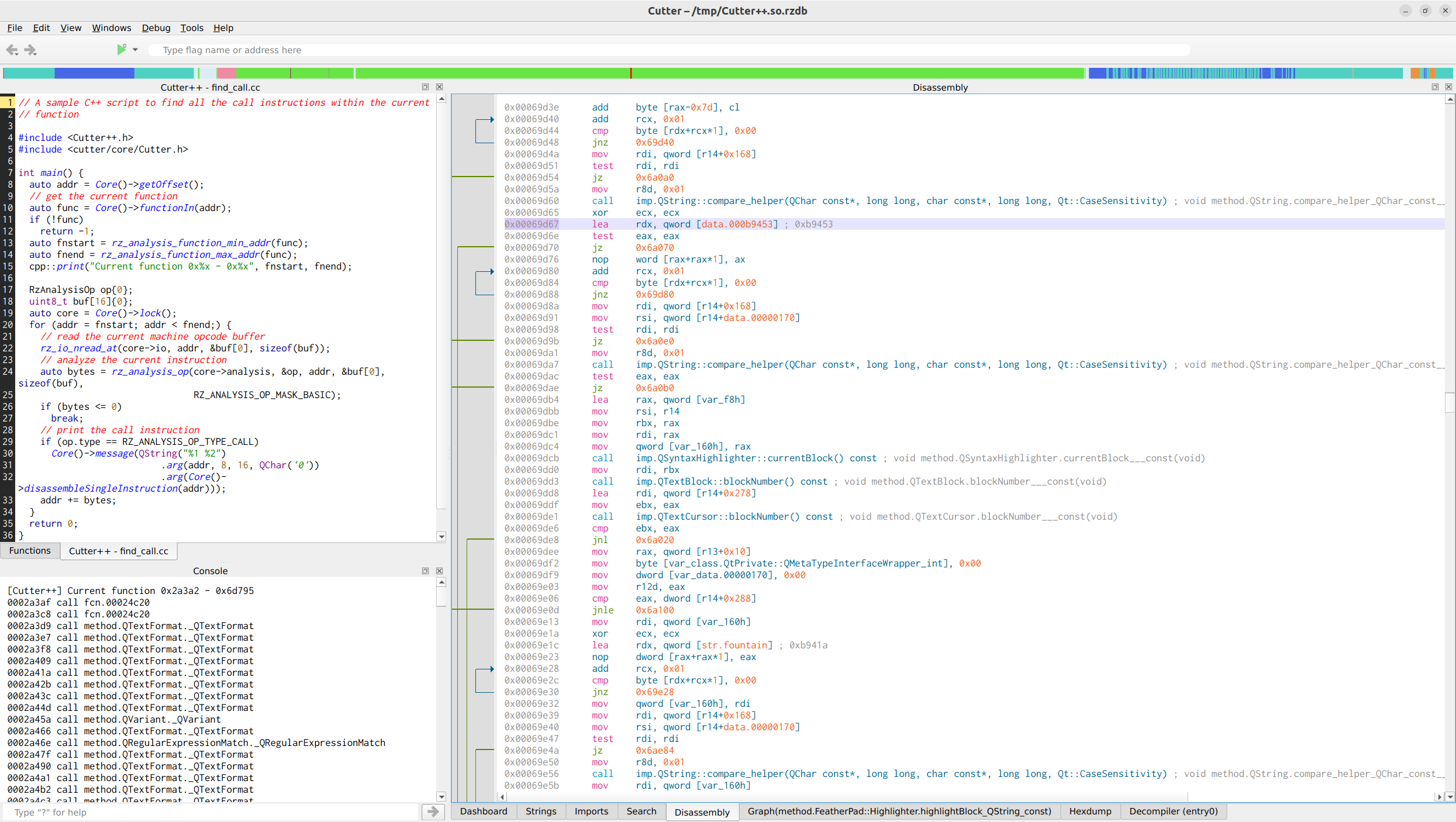
}// A sample C++ script to find all the call instructions within the current
// function
#include <Cutter++.h>
#include <cutter/core/Cutter.h>
int main() {
auto addr = Core()->getOffset();
// get the current function
auto func = Core()->functionIn(addr);
if (!func)
return -1;
auto fnstart = rz_analysis_function_min_addr(func);
auto fnend = rz_analysis_function_max_addr(func);
cpp::print("Current function 0x%x - 0x%x", fnstart, fnend);
RzAnalysisOp op{0};
uint8_t buf[16]{0};
auto core = Core()->lock();
for (addr = fnstart; addr < fnend;) {
// read the current machine opcode buffer
rz_io_nread_at(core->io, addr, &buf[0], sizeof(buf));
// analyze the current instruction
auto bytes = rz_analysis_op(core->analysis, &op, addr, &buf[0], sizeof(buf),
RZ_ANALYSIS_OP_MASK_BASIC);
if (bytes <= 0)
break;
// print the call instruction
if (op.type == RZ_ANALYSIS_OP_TYPE_CALL)
Core()->message(QString("%1 %2")
.arg(addr, 8, 16, QChar('0'))
.arg(Core()->disassembleSingleInstruction(addr)));
addr += bytes;
}
return 0;
}
Download the package at Release page, and execute the following symlink command according to your running OS.
mklink C:\Users\%USERNAME%\AppData\Roaming\rizin\cutter\plugins\native\Cutter++.dll DRIVE:\path\to\cutter++-xxx\Cutter++.dllln -s -f /path/to/cutter++-xxx/Cutter++.so ~/Library/Application\ Support/rizin/cutter/plugins/nativeln -s -f /path/to/cutter++-xxx/Cutter++.so ~/.local/share/rizin/cutter/plugins/nativeCutter++ executes script C++ code inside the Cutter process.
Like native plugins, executed code has the same permissions as the running application.
Only run trusted code.
To build your own version of Cutter++, make sure all of the prerequisites are provided:
- CMake;
- Cutter: official Cutter product already has included headers and cmakes, so we can use it straightforward;
- Qt: you should install the Qt version which can be found in Cutter's about dialog;
git clone --recursive --depth=1 https://github.com/GeekNeo/CutterPlusPlus.git
cd CutterPlusPlus
mkdir build
cd build
cmake -DCMAKE_BUILD_TYPE=Release -DCMAKE_PREFIX_PATH="/path/to/Qt_DIR;/path/to/Cutter_DIR" ..
cmake --build . -- -j8
The newly built naked Cutter++ needs the ICPP and Qt related stuff to work. The simplest way to run your own version is to replace the Cutter++.so/dll in the official release package, otherwise you should construct the following structure:
---Cutter++.so/dll    ; Cutter plugin shared library
---Cutter++
------icpp            ; icpp execution engine
------include         ; Cutter++ headers
------QtCore          ; QtCore headers
------QtGui           ; QtGui headers
------QtWidgets ; QtWidgets headers// C style print log to Cutter's Console
void print(const char *format, ...);
// execute a snippet code, it will automatically wrap in a main function and add
// basic Cutter's headers
int exec(const char *snippet);
// execute a source file
int exec_file(const char *path);currentBinary()
currentFunction()
currentAddress()
functions()
imports()
exports()
strings()
sections()
segments()
comments()
xrefs()
graph()
disassemble()
decompile()
patch()auto suspicious = cpp::functions()
| std::views::filter(is_obfuscated)
| std::views::transform(&Function::name);
for (auto &name : suspicious)
cpp::print("Suspicious function %s", name.data());If you encounter any problems when using Cutter++, before opening an issue, please check the Bug Report template, and provide as many details as you can. Only if we can reproduce the problem, we can then solve it.
If you have any questions or thoughts, just feel free to email to me:
neoliu2011@gmail.com
Any feedbacks are welcome.