Homebrew's whole ecosystem, none of its weight. One ~4 MB Zig binary that reuses every formula, bottle, and Brewfile - runs post_install natively so packages actually work, with a themeable TUI and CLI.
Reuses every formula, bottle, cask, tap, and Brewfile in the existing ecosystem; installs to its own prefix; ~3 ms cold start. Both the CLI and the built-in terminal dashboard (mt tui) are themeable through one MALT_THEME palette. Designed by a human and implemented by AI.






Why malt · Install · First commands · Theming · TUI · Reference · Security · Architecture · Benchmarks

Important
malt is under active development. The CLI surface is settled and significant breaking changes are unlikely - bugs are still likely.
If you hit one, please open an issue. User-reported bugs jump the queue and ship in patch releases.
This README tracks main, the development line, and may document features not yet in the latest release. For what actually ships with install.sh and the cask, read the README on the current release/0.X branch - the supported minor line, kept in sync with its patch releases.
malt is a client for the Homebrew registry, not a fork. It reuses every formula, bottle, cask, tap, and Brewfile in the ecosystem, installs to its own /opt/malt prefix, never touches Homebrew's files, and delegates anything it doesn't implement to brew when it's installed. What sets it apart:
- It actually finishes the install. Most alternative Homebrew clients quietly give up at
post_install- the block that wires up symlinks, man pages, config, and service registration - and leave packages half-broken. malt ships a built-in Zig interpreter for the Ruby subset these blocks use, sonode,openssl,fontconfig, anddocbookare fully configured by the time the install returns. → Nativepost_install - Reused work costs nothing. Bottles are indexed by SHA256 and kegs are APFS
clonefile()copies, so the same bottle is never downloaded or extracted twice. A second package shares libraries with the first; upgrades keep the rest of the dependency closure; reinstalls and rollbacks cost no network and no bytes - anffmpeginstall against an existing store finishes in tens of milliseconds. → Benchmarks - Safety without the startup tax. A package manager runs as your user, writes to a privileged-ish prefix, fetches code from the internet, and patches Mach-O headers - so it earns the posture of any root-adjacent tool: streaming SHA256, atomic 9-step installs (old version untouched until the new one verifies), a 30 s advisory lock against concurrent mutations, sandboxed subprocesses. The binary is ~4 MB and starts in ~3 ms - none of that safety is paid for in startup time. → Safety and security
- One theme, everywhere. A single
MALT_THEMEpalette colours both the CLI and themt tuidashboard - no separate config. → Theming - A dashboard that drives the real CLI.
mt tuiis a built-in, resize-aware terminal dashboard - search, install, upgrade, services, doctor from one screen - that delegates every action back tomt <subcommand>. No daemon, no companion binary. → Interactive dashboard - Taps on any major forge. Third-party taps resolve through the forge API without cloning the whole repo, on GitHub, GitLab (incl. self-hosted), Codeberg/Forgejo/Gitea, and Gogs - with per-forge token auth for private taps. → Supported forges
- Signed, verifiable releases. Every release is cosign-signed keyless via GitHub OIDC;
install.shandmt version updateverify the signature before trusting the SHA256 checksum. A leaked GitHub token is not enough to ship a malicious binary. → Safety and security
Beyond these: ephemeral mt run <pkg> (no permanent install), a full operational surface (services, bundles, doctor, purge, backup/restore, migrate, reverse-dependency queries), and --json/--output-format=ndjson scripting everywhere it makes sense. See the Command reference.
Note
Compatibility note. "Drop-in" covers the directives a typical Brewfile uses - tap, brew, cask, mas, and vscode (the last two round-trip through the parser but are not yet installed by malt) - plus hash options and Ruby symbols. It does not cover Ruby do … end blocks or conditionals like if OS.mac?. Both raise a clear error. macOS only - Linux and Windows are out of scope.
Note
Built by human-directed AI. Design and architecture by a human; every merged change reviewed by a human; every commit of Zig written by Claude Code, driven through a stack of skills and guideline frameworks (ruflo, superpowers, andrej-karpathy-skills, improve, and project-specific skills) that encode the discipline a human would otherwise enforce by hand. malt has been refactored end-to-end more than once - install protocol, post_install interpreter, Mach-O patcher - each round steered by ADRs and security review. The repository, the test suite, and the running tool are the evidence.
Three install paths - pick the one that matches your setup.
The script:
- downloads the latest release,
- verifies the SHA256 checksum and a cosign keyless signature against the GitHub Actions workflow that produced it,
- installs the binary to
/usr/local/bin/, - and creates
/opt/maltwith proper ownership.
curl -fsSL https://raw.githubusercontent.com/indaco/malt/main/scripts/install.sh | bashThe script needs cosign on your PATH. To bypass verification (not recommended), set MALT_ALLOW_UNVERIFIED=1. If no release matches your platform, the script falls back to building from source.
To verify install.sh itself out of band, pin to a release tag - the latest below, or any release you trust - and compare its SHA256 against that release's notes:
curl -fsSL "https://raw.githubusercontent.com/indaco/malt/v0.20.0/scripts/install.sh" -o install.sh
shasum -a 256 install.sh
bash install.sh
v0.20.0 here is an example - swap it for the release you intend to install (see the version badge at the top).
malt is published as a Homebrew cask:
brew install --cask indaco/tap/maltThe qualified <tap>/<cask> shorthand taps implicitly. Upgrade with brew upgrade --cask malt. mt version update detects a Homebrew-managed install and points you at brew upgrade --cask malt instead.
Clone the repo and run the install script. It detects the local checkout and builds from source automatically:
git clone https://github.com/indaco/malt.git
cd malt
./scripts/install.sh
Building requires Zig 0.16.x and produces malt in zig-out/bin/ with mt next to it as a symlink to malt. For development builds (debug, tests, universal binary), see Development builds.
Make malt's binaries discoverable in new shells before starting. mt shellenv is a drop-in for eval "$(brew shellenv)":
echo 'eval "$(mt shellenv)"' >> ~/.zshrc          # or ~/.bashrc
mt shellenv fish | source                          # fish: set -gx, not export
Then a first session looks like this:
mt install jq wget ripgrep        # parallel downloads, single lock
mt list --versions                # see what landed
mt info ripgrep                   # version, tap, cellar path, pinned status
mt outdated                       # what has updates available
mt upgrade ripgrep                # atomic; old version is restored on failure
mt and malt are the same binary - mt is a symlink to malt and ships with every install method. Additional aliases: remove for uninstall, ls for list. Anywhere a flag accepts --formula or --cask, it also accepts --formulae or --casks - pick whichever reads more naturally.
If you typed something malt doesn't implement, malt checks for brew and silently delegates. If brew isn't installed:
malt: '<cmd>' is not a malt command and brew was not found.
Install Homebrew: https://brew.sh
Theming applies to all malt output - the CLI and the mt tui dashboard alike. MALT_THEME selects the palette for all malt output, so MALT_THEME=dracula mt outdated and MALT_THEME=dracula mt tui render in the same colours. A background-aware default ships alongside ten named palettes, grouped by the terminal background they target:
| Background | Themes |
|---|---|
| Adaptive | default - follows the terminal background (auto/light/dark select it) |
| Dark | dracula, catppuccin-mocha, rose-pine, nord, tokyo-night, gruvbox-dark, everforest |
| Light | catppuccin-latte, rose-pine-dawn, gruvbox-light |
The default palette and all named themes - CLI + mt tui side by side
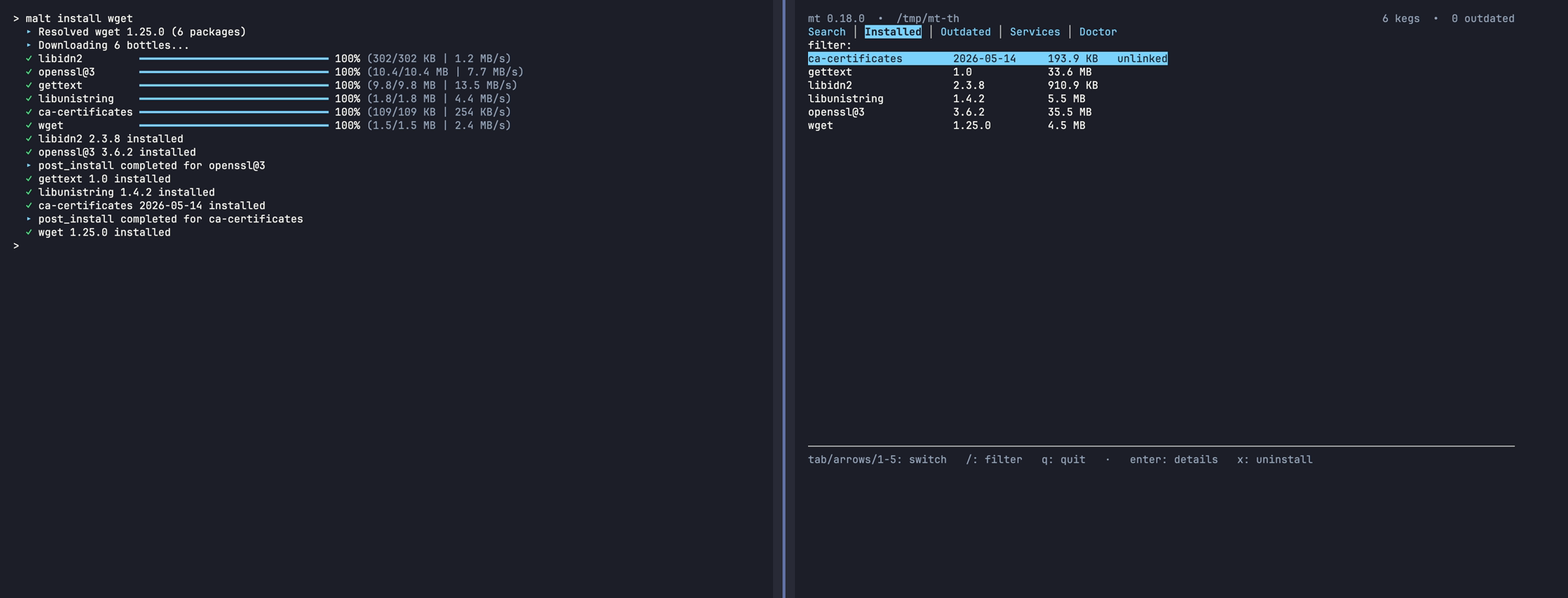 default (dark terminal) |
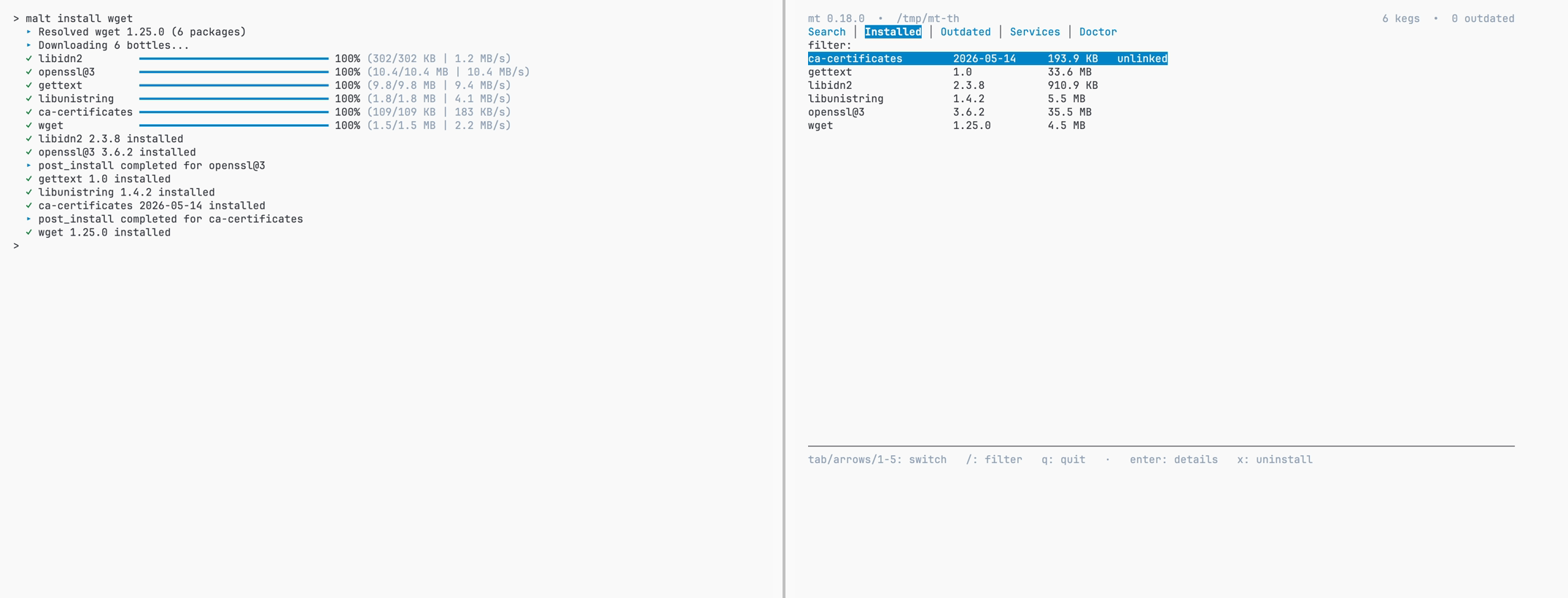 default (light terminal) |
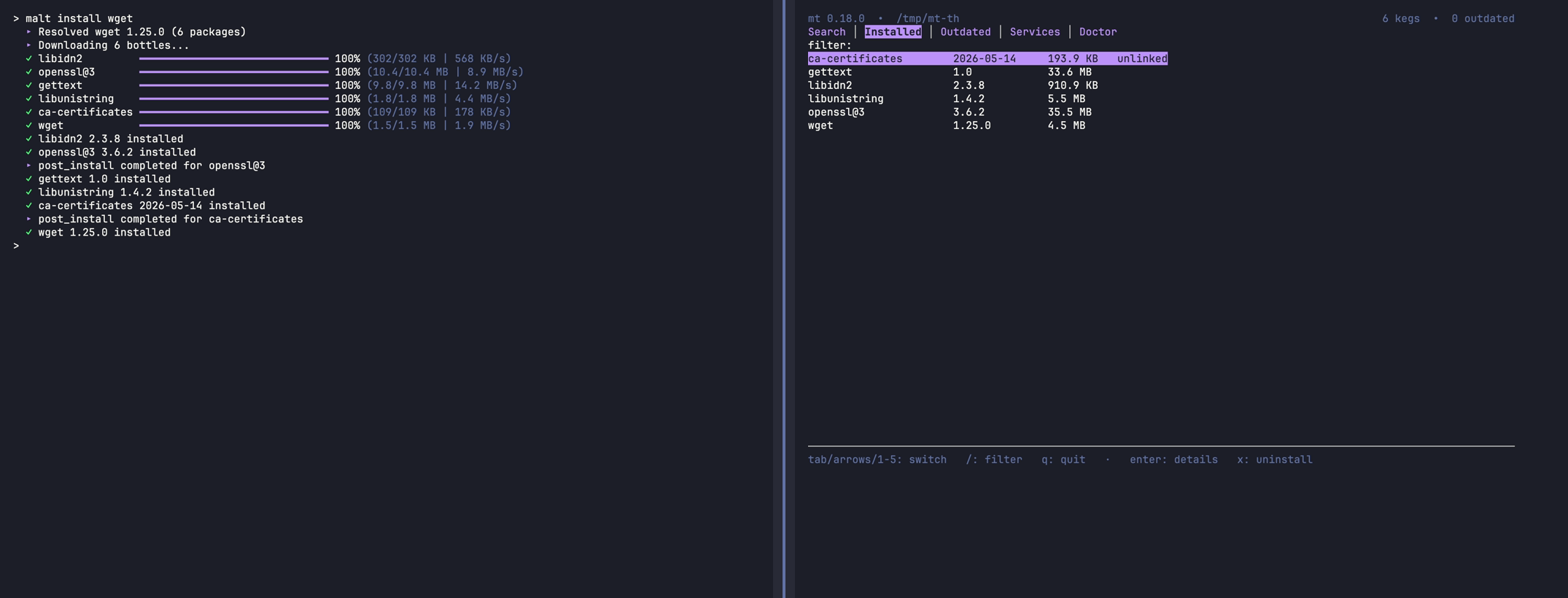 MALT_THEME=dracula |
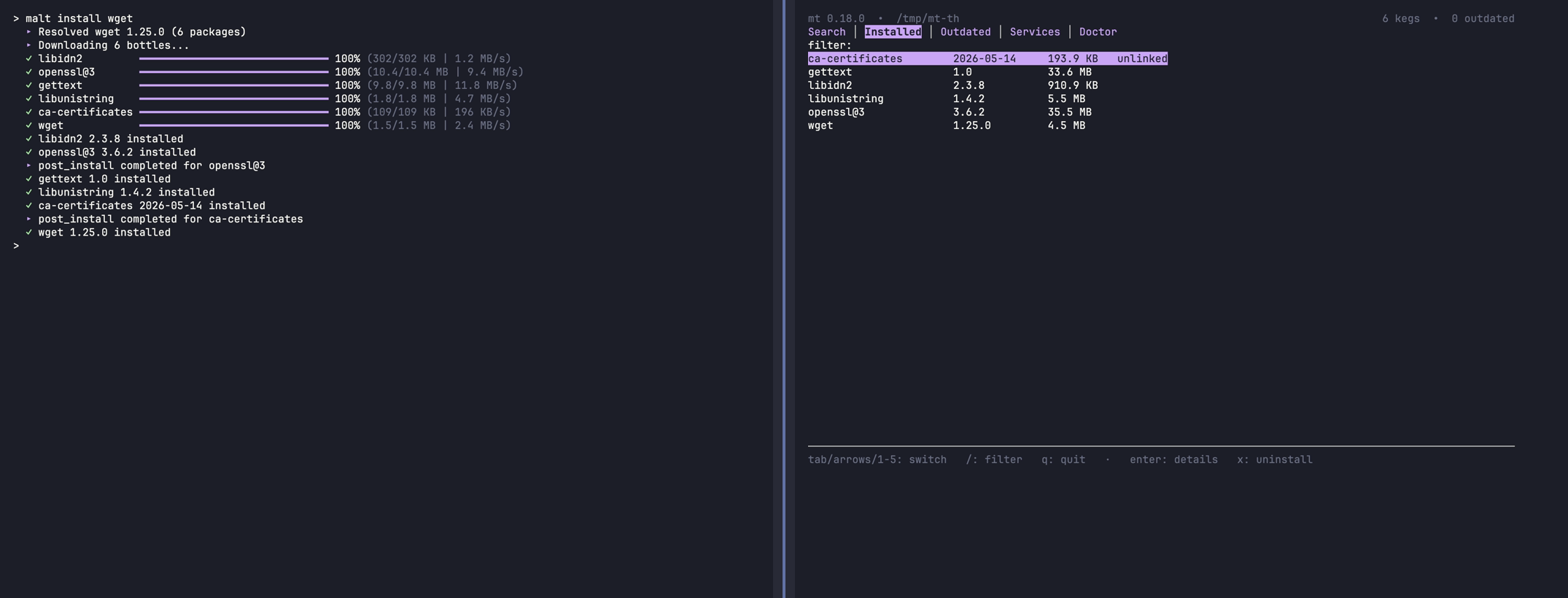 MALT_THEME=catppuccin-mocha |
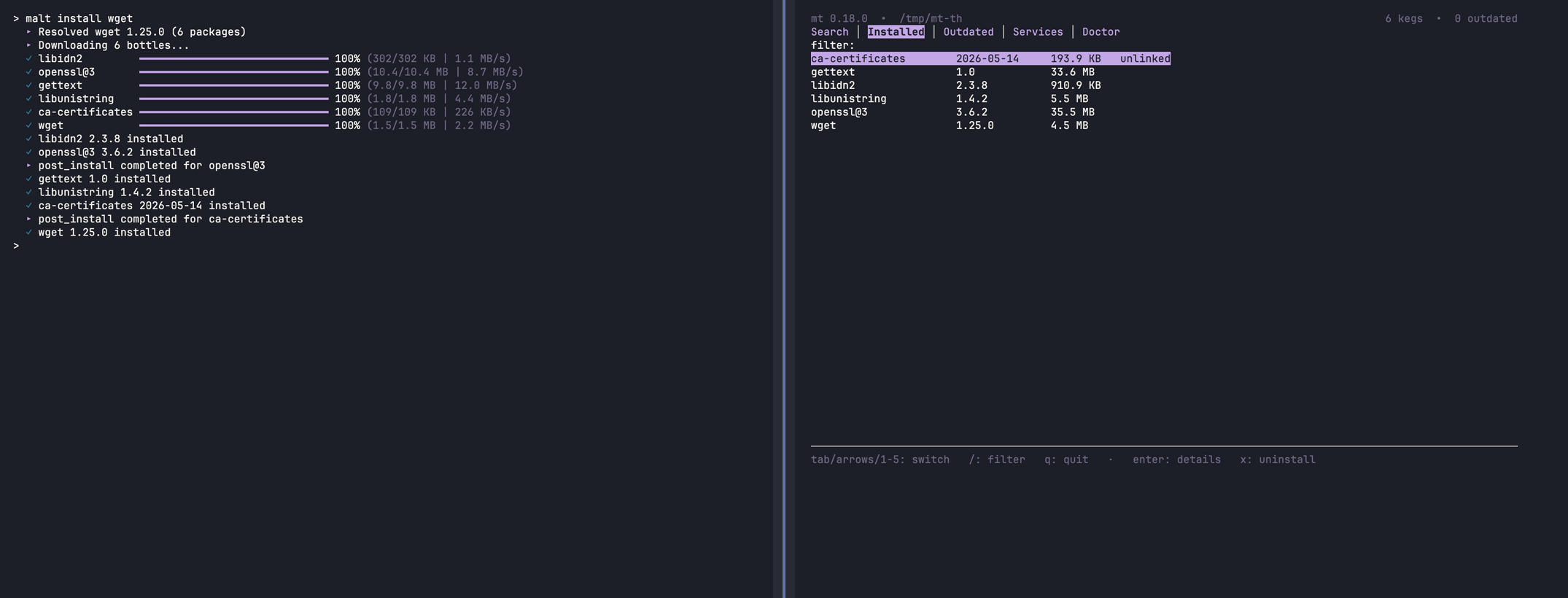 MALT_THEME=rose-pine |
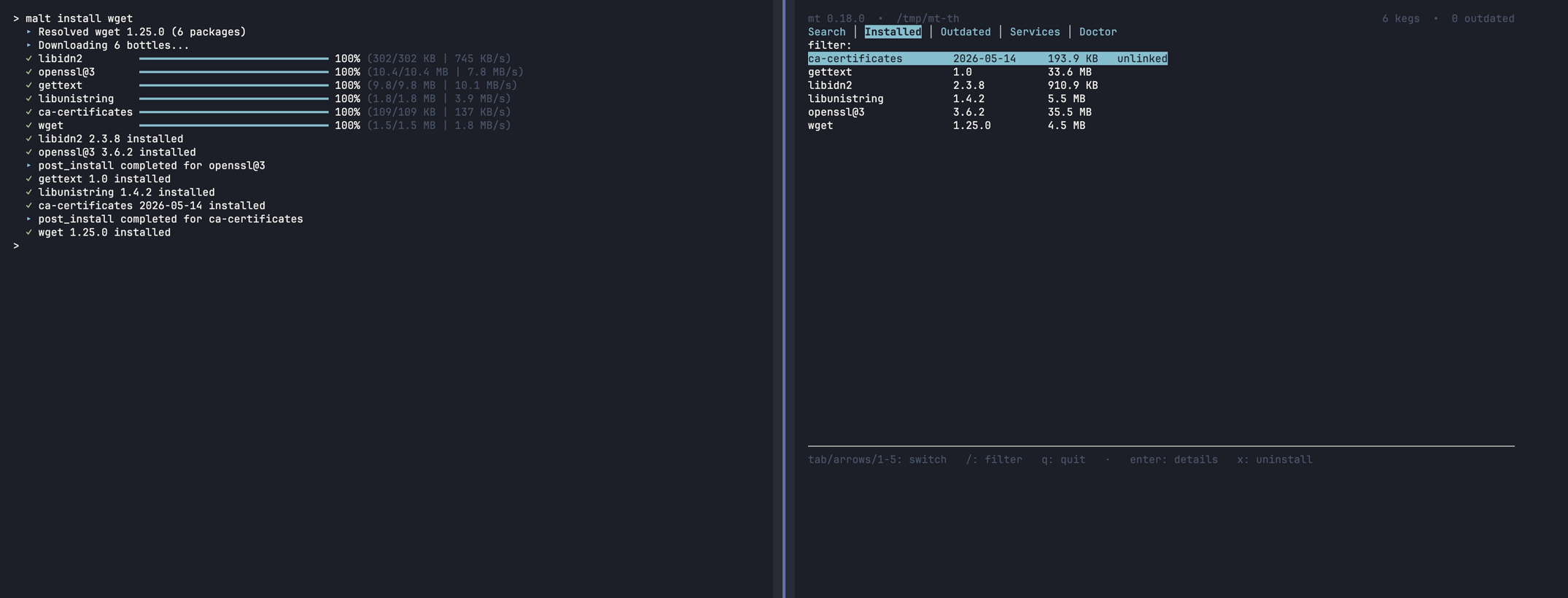 MALT_THEME=nord |
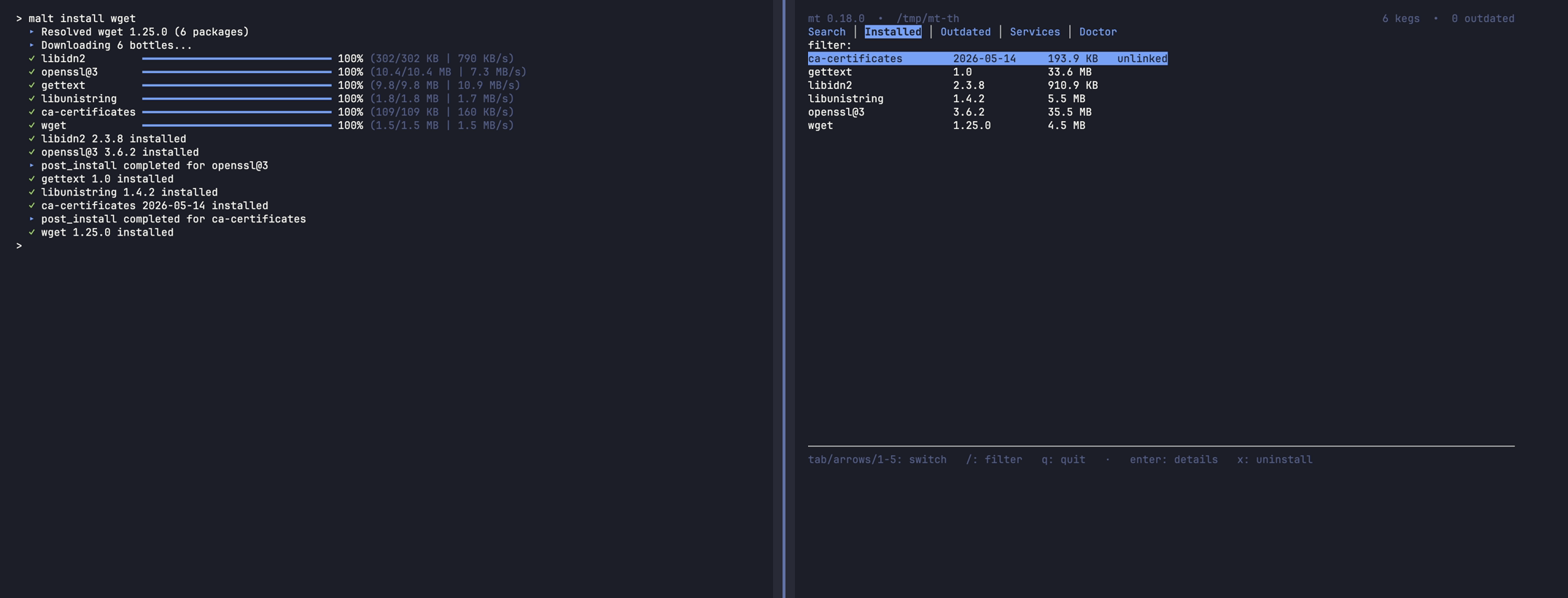 MALT_THEME=tokyo-night |
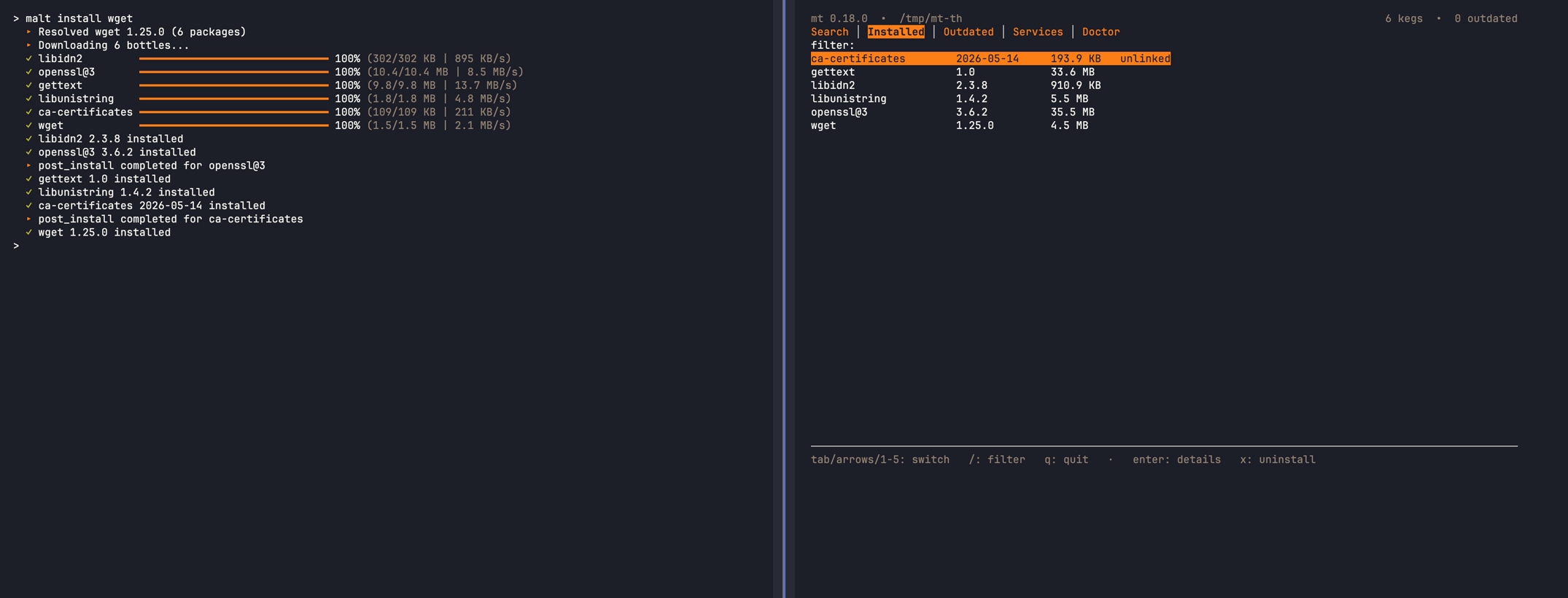 MALT_THEME=gruvbox-dark |
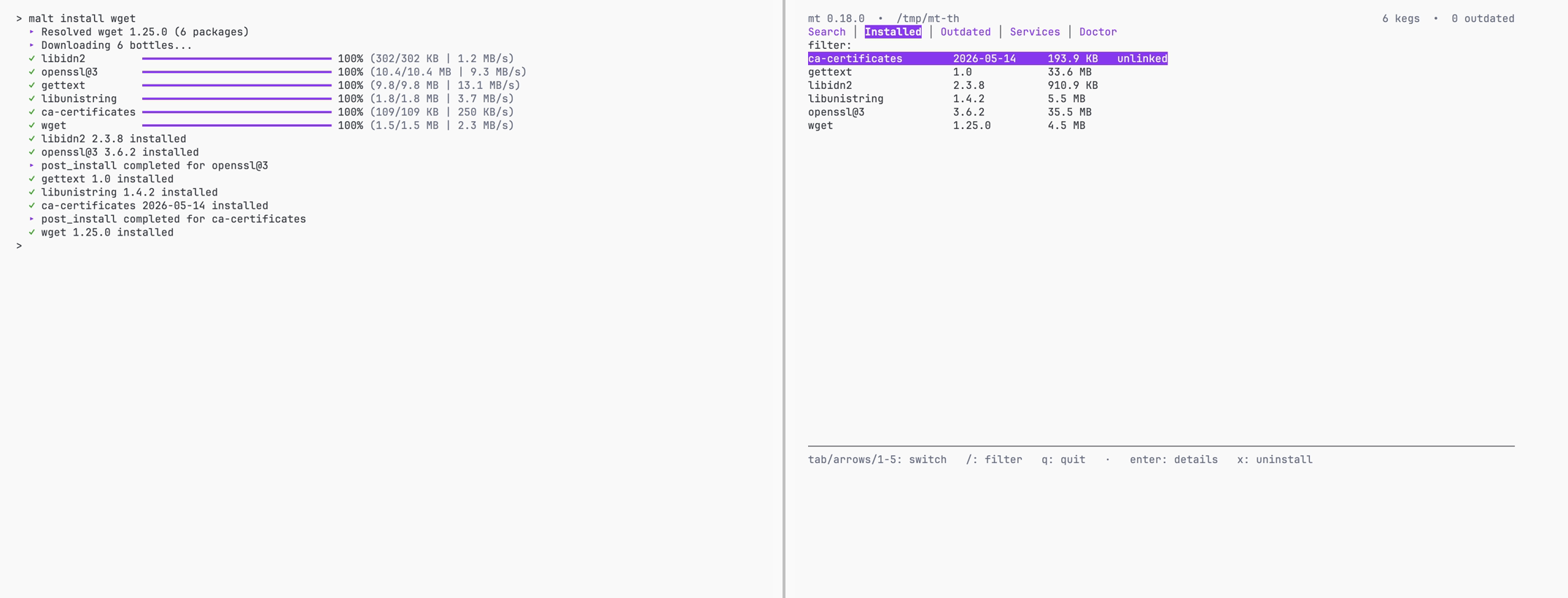 MALT_THEME=catppuccin-latte |
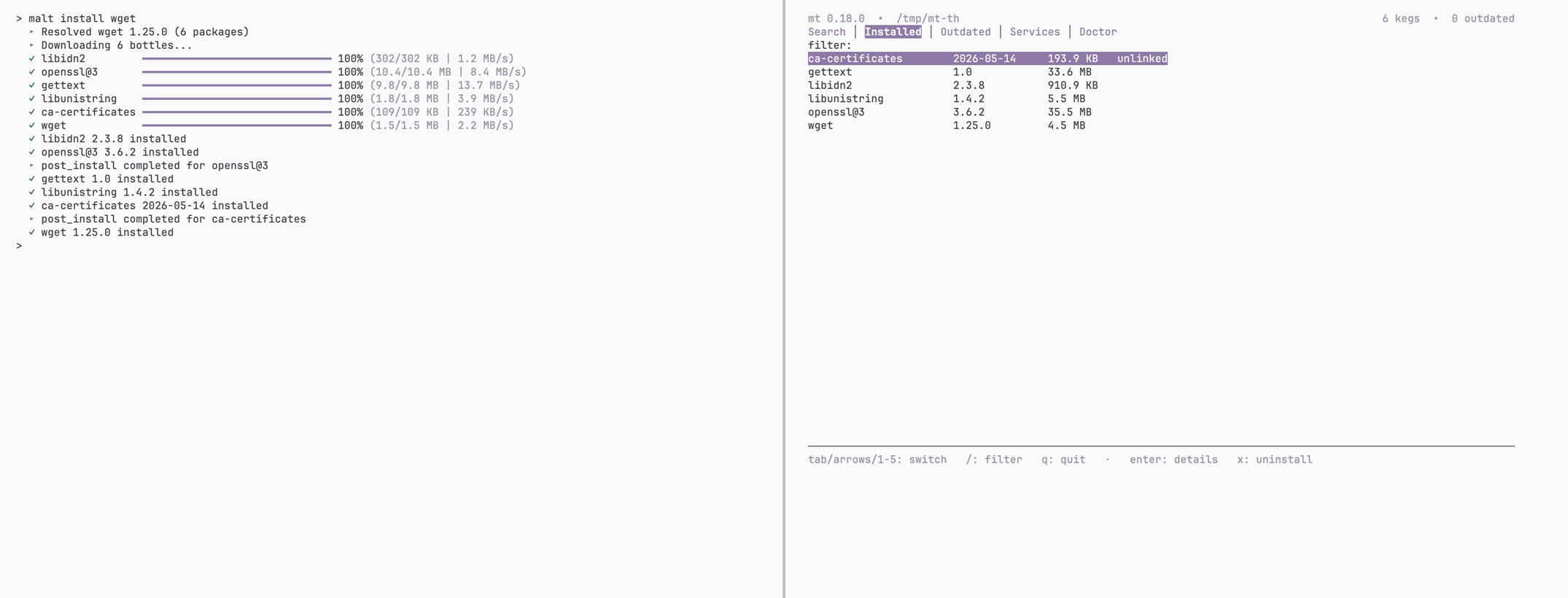 MALT_THEME=rose-pine-dawn |
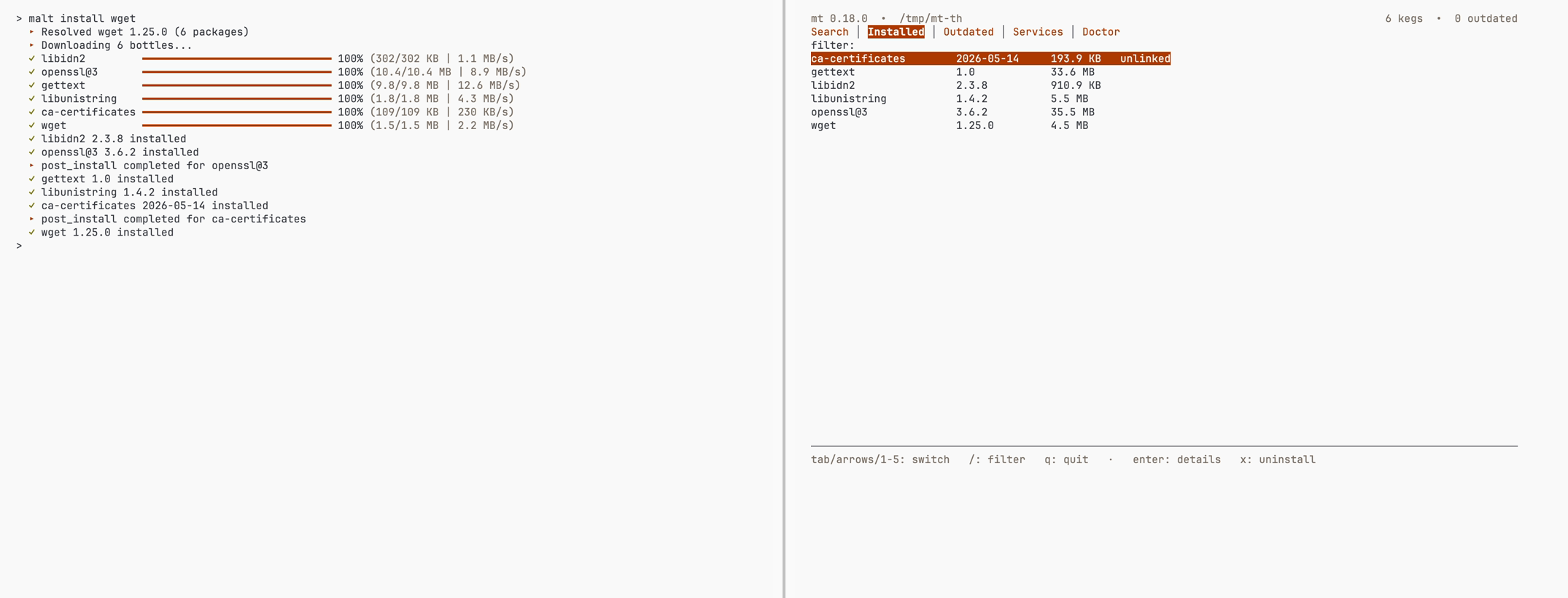 MALT_THEME=gruvbox-light |
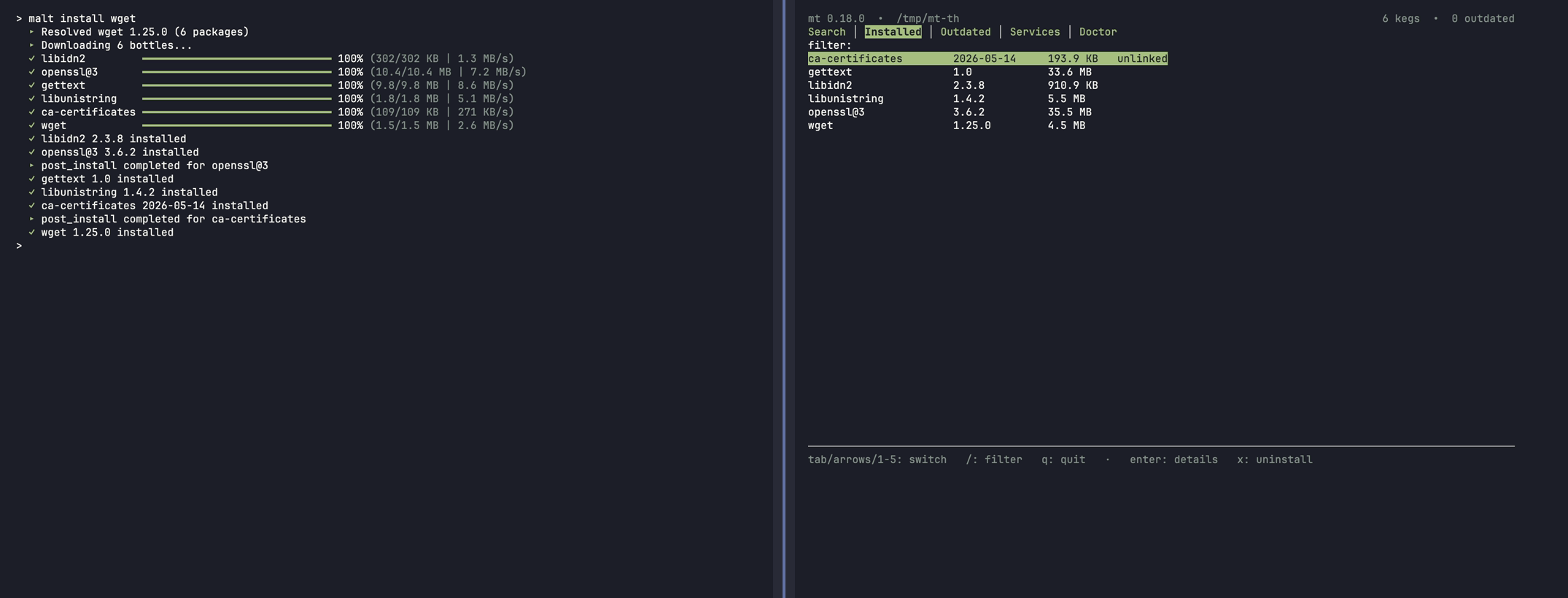 MALT_THEME=everforest |
light/dark/auto keep the background-aware default palette (auto detects via OSC 11). Named themes need a truecolor terminal and degrade to the default palette on a basic terminal, or on one whose background contradicts the theme (a dark theme on a light terminal).
Define your own palettes in a JSON file at MALT_THEMES_FILE (else {prefix}/etc/malt/themes.json). It is read once at boot and resolved through the same seam as built-ins, so custom themes colour both the CLI and mt tui. Select one with MALT_THEME=<name>, or mark a file default to apply when MALT_THEME is unset. A built-in name always wins, so a custom theme cannot shadow dracula.
{
  "version": 1,
  "default": "my-dark",
  "themes": {
    "my-dark": {
      "polarity": "dark",
      "accent": "#bd93f9",
      "secondary": [139, 233, 253],
      "success": "#50fa7b",
      "warning": "#ffb86c",
      "danger": "#ff5555",
      "muted": 240
    }
  }
}
Each theme needs a polarity (dark/light) and all six roles. A colour is a hex string ("#rgb"/"#rrggbb"), an [r, g, b] array (0–255), or a single 0–255 integer (a 256-colour index).
The file is validated all-or-nothing: any malformed value rejects the whole file and malt keeps the built-in themes (a one-line notice, never a crash). A theme is gated like a built-in - it applies only when its polarity matches the detected background; one built from hex/[r,g,b] colours additionally needs a truecolor terminal, while a theme written entirely with 256-colour indexes also paints on a 256-colour terminal.
mt tui opens a persistent, resize-aware dashboard over the same data the read commands expose - search and install, manage services, and run doctor from one screen, not just a read-only viewer. No daemon, no companion binary, nothing to install first.

mt tui                                   # launch the dashboard
MALT_THEME=dracula mt tui                # launch with a named theme
Note
mt tui needs a real terminal: on a pipe, in CI, or with NO_COLOR set it refuses to launch and exits 2 rather than stream escape sequences into a non-TTY.
Five tabs, each a live view over mt … --json:
| Tab | Shows | Acts via |
|---|---|---|
| Search | mt search hits, basket select across queries |
mt install the basket |
| Installed | every keg + cask with a detail pane | mt uninstall |
| Outdated | upgradable packages, multi-select (pinned greyed) | mt upgrade |
| Services | launchd services + runtime state | mt services start/stop/restart |
| Doctor | structured mt doctor findings, errors first |
mt doctor --fix <class> |
Keys: tab/←/→/1-5 switch tabs, ↑/↓ move the cursor, / filters the list (per-tab, survives a tab round-trip), enter searches or opens a detail pane, q or Ctrl-C quits. Each tab adds its own action keys in the footer - space select, l basket view, i install the basket (Search), x uninstall with a [y/N] guard (Installed), space/a/n select and u upgrade the batch (Outdated), s/x/r start/stop/restart (Services), f fix (Doctor).
It batches installs across searches. The Search tab carries a cross-query basket: space adds the highlighted hit, and a pick survives when you run a new query - so you can search bat, then redis, and install both with a single i. l opens the basket to review it (space/d removes a pick, n clears it); the footer tracks the running count as i: install N selected.
It reads with --json and acts by delegating. Every mutation drops out of the alternate screen, runs the real mt <subcommand> inline - so output and prompts land unchanged in your scrollback - then re-enters and refreshes the current tab (others refetch lazily). It never reimplements install, upgrade, or fix; it drives the CLI you already trust.
It resizes live. Layout is a pure function of terminal size: drag the window and columns reflow, the viewport re-clamps, and long rows truncate without a keypress. Below a usable minimum it shows a "terminal too small" notice instead of a corrupted frame.
Commands grouped by what you're doing. Every command works with malt or mt, accepts --help for the full flag list, and supports --quiet, --dry-run (where mutating), and --json (where applicable). See Global flags for the cross-cutting set.
At a glance - malt -h:
malt - Homebrew's whole ecosystem, none of its weight.
Reuses every formula, bottle, and Brewfile; runs post_install natively.
Themeable TUI and CLI.

Usage: malt <command> [options] [arguments]
       mt <command> [options] [arguments]    (alias)

Commands:
  install       Install formulas, casks, or tap formulas
  reinstall     Wipe and re-materialise an installed package
  uninstall     Remove installed packages
  upgrade       Upgrade installed packages
  update        Refresh metadata cache
  outdated      List packages with newer versions available
  list          List installed packages
  info          Show detailed package information
  search        Search formulas and casks
  uses          Show installed packages that depend on a formula
  deps          Show what a formula depends on (forward of `uses`)
  which         Resolve a prefix binary (or path) to its keg
  doctor        System health check
  tap/untap     Manage taps
  migrate       Import existing Homebrew installation
  rollback      Revert a package to its previous version
  link          Create symlinks for an installed keg
  unlink        Remove symlinks (keg stays installed)
  pin           Protect an installed formula or cask from `upgrade`
  unpin         Lift the pin so `upgrade` resumes touching it
  run           Run a package binary without installing
  completions   Generate shell completion scripts (bash, zsh, fish)
  shellenv      Print PATH/MANPATH/HOMEBREW_PREFIX exports for shell init
  backup        Dump installed packages to a restorable text file
  restore       Reinstall every package listed in a backup file
  purge         Housekeeping or full wipe (--store-orphans, --unused-deps,
                --cache, --downloads, --stale-casks, --old-versions,
                --housekeeping, --wipe)
  cleanup       Shorthand for `purge --housekeeping`
  services      Manage long-running launchd services (start/stop/status/logs)
  tui           Interactive dashboard (search, installed, outdated, services, doctor)
  bundle        Install or export a Brewfile/Maltfile.json set of packages
  version       Show version (use 'version update' to self-update)
mt install installs formulas, casks, and tap formulas, with auto-detection for the common case:
mt install wget                          # auto-detect formula or cask
mt install --cask firefox                # explicit cask
mt install user/tap/formula              # inline tap, no separate tap step
mt install openssl@3                     # versioned formula
mt install jq wget ripgrep               # parallel downloads, single lock
mt install --only-dependencies wget      # transitive deps only
mt install --local ./hello.rb            # local Ruby formula (see "Local formulas")
mt install --dry-run jq                  # preview without installing
Other flags: --force (overwrite existing), --use-system-ruby[=<name>,…] (delegate post_install to system Ruby, sandboxed, per-formula), --quiet/-q, --json.
mt reinstall <pkg> is the discoverable peer of mt install --force: refuses if the package isn't installed, wipes and re-materialises the existing keg or cask. Transitive dependencies are not reinstalled. Global flags (--json, --quiet, --dry-run) pass through.
mt run <pkg> -- <args...> runs a binary without a permanent install. Useful for one-off invocations:
mt run jq -- --version
mt run --keep ripgrep -- --help          # cache the bottle for next run
--keep extracts under {cache}/run/<sha256>/ so subsequent calls skip the download. The cache is wiped by mt purge --cache.
mt uninstall removes a package, refusing if dependents exist or, for casks, if the application is running. --force (-f) bypasses both checks. --cask forces cask uninstall. Store entries are preserved for mt purge --store-orphans.
mt migrate imports an existing Homebrew installation: it scans the Cellar and reinstalls each package through malt, without touching the Homebrew install itself.
- Packages with
post_installrun through malt's native interpreter; unsupported scripts fall back to--use-system-ruby, or are skipped with a report. --dry-runpreviews the migration.--parallelruns per-keg work concurrently (4 workers by default; tune withMALT_MIGRATE_PARALLEL_WORKERS=N).- Progress is recorded in
{prefix}/cache/migrate.progress.json, so a re-run after a crash or^Cresumes where it stopped.
Three commands form the upgrade loop:
mt update                                # refresh API cache + drop outdated snapshot
mt update --check                        # write a fresh outdated snapshot only

mt outdated                              # list packages with newer versions
mt outdated --pinned-only                # CVE watch on held-back versions
mt outdated --refresh                    # bypass the cached snapshot

mt upgrade <name>                        # upgrade a specific formula or cask
mt upgrade --formula                     # all outdated formulas
mt upgrade --cask                        # all outdated casks
mt upgrade --pinned --dry-run            # audit pinned drift without mutating
mt upgrade --force <name>                # bypass a pin for one upgrade
mt outdated reads a cached snapshot (5 min TTL; MALT_OUTDATED_MAX_AGE=<minutes> overrides, 0 always recomputes) that refreshes live once it ages out, so it stays in step with mt upgrade. Entries are filtered through the live DB, so a removed or hand-upgraded keg never appears. Add --json for machine output.
mt upgrade installs the new version, verifies it, switches symlinks atomically, and only removes the old version after success. On failure, the old version is restored.
mt pin <name> / mt unpin <name> hold a package at its current version. Pinned packages are skipped by mt upgrade with a "pinned, skipped" line; mt list --pinned inspects.
mt rollback <package> reverts a formula to its previous version. The store retains every previously installed bottle, so rollback unlinks → re-clones → updates the DB without re-downloading. --list shows the retained versions; --to <version> reverts to a specific one instead of the newest prior; --dry-run previews.
mt list                                  # all installed packages
mt list --versions --formula             # narrow + show versions
mt list --pinned                         # held-back versions only
mt list --json

mt info wget                             # version, tap, cellar path, pinned status
mt info --cask firefox

mt search ripgrep                        # brew-parity: queries the Homebrew API
mt search ripgrep --formula              # narrow
mt search ripgrep --installed            # local DB only; no network
mt search ripgrep --all                  # local + API, merged

mt uses openssl@3                        # direct dependents
mt uses --recursive openssl@3            # full transitive closure
mt deps ffmpeg                           # direct deps (forward of `uses`)
mt deps --recursive ffmpeg               # full forward closure
mt deps --installed -r node@20           # restrict to locally-resolved kegs
mt which jq                              # reverse lookup: bin -> keg-path
mt which accepts a bare name (resolved through {prefix}/bin/<name>) or an absolute path to a malt-managed symlink. Output is <name> <version> <keg-path> (or {"name", "version", "keg"} with --json). It's read-only and offline; exits non-zero with a clear message when the binary is not owned by malt.
mt search matches brew search by default and ranks substring matches across formulas and casks.
| Flag | Scope |
|---|---|
(default) / --api |
Homebrew API - substring match across formulas and casks |
--installed |
Local DB scan (kegs.name, casks.token) - no network |
--all |
Both passes, merged and deduped |
--offline (or MALT_OFFLINE=1) |
Collapses every scope into --installed |
--json, --formula, and --cask compose with every scope above.
mt deps is the forward symmetric of mt uses: "what does X depend on?" instead of "who depends on X?". Installed kegs read from the local DB; uninstalled formulas walk the upstream API. --installed is offline-safe. --json emits one entry per visited node, preserving graph shape on recursive walks.
mt doctor runs a battery of health checks: SQLite integrity, directory layout, stale advisory locks, APFS volume detection, Homebrew API reachability, store/keg consistency, broken symlinks, low disk space, and post-install DSL coverage. It exits 0 (OK), 1 (warnings), 2 (errors).
mt doctor
mt doctor --fix                          # repair safe-class warnings
mt doctor --fix --dry-run                # preview the repair plan
mt doctor --post-install-status # check DSL support per installed formula| Check | Pass | Fail |
|---|---|---|
| SQLite integrity | PRAGMA integrity_check returns ok |
Error: database corrupt |
| Directory structure | All required directories exist under prefix | Warn: missing directory |
| Stale lock | No lock file, or lock PID is running | Warn: suggest removal |
| APFS volume | /opt/malt is on APFS |
Warn: clonefile unavailable |
| API reachable | HEAD to formulae.brew.sh returns 2xx |
Warn: offline |
| Orphaned store | All store entries referenced by a keg | Warn: suggest mt purge --store-orphans |
| Missing kegs | All DB keg paths exist on disk | Error: suggest reinstall |
| Broken symlinks | All symlinks in bin/, lib/ etc. resolve | Warn: suggest mt cleanup |
| Disk space | > 1 GB free on prefix volume | Warn: low disk space |
| Post-install DSL | All installed post_install formulae parseable | Warn: unsupported construct |
--fix repairs only the safe classes - actions that are reversible and never touch user data: stale advisory locks (recorded PID is dead), broken symlinks under bin/, lib/, include/, share/, sbin/, and orphaned store entries. Dangerous classes (corrupt DB, missing kegs, missing prefix directories, weak permissions, unpatched Mach-O placeholders) keep their inline manual remediation hint.
mt purge is the housekeeping and full-wipe entry point. A scope flag is required.
# Safe scopes
mt purge --store-orphans                 # refcount-0 store blobs
mt purge --unused-deps                   # orphaned dep kegs
mt purge --cache=30                      # cache files older than N days (default 30)
mt purge --stale-casks                   # cache + Caskroom for uninstalled casks
mt purge --housekeeping                  # all four safe scopes

# Destructive
mt purge --downloads                     # wipe {cache}/downloads
mt purge --old-versions                  # remove non-latest Cellar versions
mt purge --wipe                          # remove every malt artefact on disk
mt purge --wipe --backup ~/snapshot.txt --remove-binary --yes| Scope | Removes | Confirm gate |
|---|---|---|
--store-orphans |
Refcount-0 blobs in {prefix}/store |
none |
--unused-deps |
Indirect-install kegs no other package needs | none |
--cache[=DAYS] |
Cache files older than DAYS (default 30) | none |
--downloads |
Entire {cache}/downloads directory |
type downloads |
--stale-casks |
Cask cache + Caskroom entries for uninstalled casks | none |
--old-versions |
Non-latest version directories in {prefix}/Cellar |
type old-versions |
--housekeeping |
= --store-orphans --unused-deps --cache --stale-casks |
none |
--wipe |
Every malt artefact on disk (mutually exclusive) | type purge |
Shared flags: --dry-run/-n (preview), --yes/-y (skip typed-confirm), --quiet/-q, --backup/-b <path> (write a mt restore-compatible manifest before any deletion). --wipe-only flags: --keep-cache (preserve downloaded bottles), --remove-binary (also unlink /usr/local/bin/{mt,malt}).
Structured output for scripts: mt --json purge --<scope>... emits a single summary object on stdout (version, dry_run, scopes, totals, time_ms); mt --output-format=ndjson purge ... streams scope_started / scope_completed / purge_complete events, one per line. Stderr stays the human surface in either mode.
--wipe cannot combine with any other scope. Every other scope can run together under one lock acquisition. mt purge honours MALT_PREFIX and MALT_CACHE, so pointing those at a throwaway path is the safe way to test the command end-to-end. For per-package removal, use mt uninstall.
mt cleanup is a Homebrew-shaped alias for mt purge --housekeeping: the safe daily-driver scope (--store-orphans --unused-deps --cache --stale-casks). Trailing flags pass through unchanged (mt cleanup --dry-run, mt cleanup --cache=7 --yes), so weekly muscle memory works while the full scope menu stays under mt purge.
mt link <formula> and mt unlink <formula> manage the prefix symlinks. link reports conflicts and aborts unless --overwrite/--force/-f is passed. unlink removes symlinks from bin/, lib/, etc. and the opt/ symlink, but leaves the keg installed.
mt services is a drop-in for brew services:
mt services list                         # registered services + runtime state
mt services start postgresql@16          # launchctl bootstrap into gui/<uid>
mt services stop postgresql@16
mt services restart postgresql@16
mt services status postgresql@16
mt services logs postgresql@16 --tail 50
mt services logs postgresql@16 --stderr
mt services logs postgresql@16 -f        # tail and follow until SIGINT
Services are registered automatically when an installed formula carries a service block (e.g. postgresql@16, redis). Plist + log files live at {prefix}/var/malt/services/<name>/; runtime state in the SQLite services table. macOS-only - Linux/Windows return OsNotSupported.
mt bundle is a drop-in for brew bundle, with no Brewfile conversion:
mt bundle install                        # ./Brewfile or ./Maltfile.json
mt bundle install path/to/Brewfile
mt bundle install --dry-run
mt bundle cleanup                        # remove direct packages absent from Brewfile
mt bundle cleanup --yes                  # skip the typed confirmation
mt bundle create                         # snapshot installed -> ./Brewfile
mt bundle create --format json my.json
mt bundle export                         # print to stdout
mt bundle list                           # registered bundles
mt bundle remove devtools                # unregister; --purge also uninstalls
mt bundle import path/to/Brewfile        # register without installing
Lookup order (no path given): ./Brewfile → ./Maltfile.json → ~/.config/malt/Brewfile → ~/.config/malt/Maltfile.json. Brewfile parsing covers tap, brew, cask, mas, vscode, plus hash options (version:, restart_service:, link:) and Ruby symbols (restart_service: :changed). Conditionals (if OS.mac?) and do … end blocks are rejected with a clear error pointing to Maltfile.json.
mt backup and mt restore cover the simpler case - a plain-text manifest of directly-installed packages, easy to hand-edit or check into dotfiles:
mt backup                                # writes malt-backup-<timestamp>.txt to cwd
mt backup -o my-setup.txt                # custom path; "-o -" writes to stdout
mt backup --versions                     # pin each entry to its installed version

mt restore my-setup.txt
mt restore my-setup.txt --dry-run
mt restore my-setup.txt --force
Only directly-installed packages are recorded; transitive dependencies are resolved on restore. The file format is one entry per line (formula <name> / cask <token>) with # comments. Restore batches into two mt install invocations, so dependency resolution, parallel downloads, and atomic install all apply. Lines with a @<version> suffix install at that version.
mt tap user/repo                                  # register a tap
mt tap                                            # list registered taps
mt tap user/repo --repo owner/exact-repo          # prefixless GitHub repo
mt tap user/repo --repo owner/exact-repo --force  # rebind to a new repo
mt untap user/repo                                # remove a tap
Taps are auto-resolved during install (mt install user/repo/formula), so this is optional unless you want the explicit Homebrew-style workflow.
A tap can live on any of four forges. GitHub is the default; the others register with an explicit --host (which always needs an explicit --repo, since the homebrew-<repo> convention is GitHub-only).
--url https://<host>/<owner>/<repo> is a self-contained alternative to --host + --repo: one flag carries both the host and the exact repo, for every forge including GitHub.
--urlcannot combine with--hostor--repo(it already encodes both).--urlstill needs--forgewhen the host doesn't auto-classify (a self-hosted GitLab/Gitea, or any Gogs host).
| Forge | Hosts | Register with | Token env var |
|---|---|---|---|
| GitHub | github.com |
mt tap user/repo (resolves homebrew-repo), or --repo owner/repo for a prefixless repo |
MALT_GITHUB_TOKEN |
| GitLab (incl. self-hosted) | gitlab.com, gitlab.gnome.org, custom |
mt tap <slug> --host <host> --repo <owner>/<repo> |
MALT_GITLAB_TOKEN |
| Codeberg / Forgejo / Gitea | codeberg.org, self-hosted Forgejo/Gitea |
mt tap <slug> --host <host> --repo <owner>/<repo> |
MALT_GITEA_TOKEN |
| Gogs | self-hosted Gogs | mt tap <slug> --host <host> --forge gogs --repo <owner>/<repo> |
MALT_GITEA_TOKEN |
Auto-classified from the host: gitlab.*, codeberg.org. Everything else needs an explicit --forge so malt knows which API to speak:
- Self-hosted GitLab (e.g.
code.acme.com) →--forge gitlab - Forgejo/Gitea →
--forge gitea - Gogs →
--forge gogs- always explicit. Gogs shares the Gitea API andMALT_GITEA_TOKEN, but its pin endpoint differs, so it can't be folded into auto-classification.
See the environment variables table for what each token is sent as.
# Each forge takes the --host + --repo pair or the equivalent --url.

# GitHub (default)
mt tap user/repo --repo owner/exact-repo
mt tap user/repo --url https://github.com/owner/exact-repo

# GitLab (gitlab.* auto-classifies from the host)
mt tap grp/tap --host gitlab.com --repo grp/homebrew-tap
mt tap grp/tap --url https://gitlab.com/grp/homebrew-tap

# Self-hosted GitLab (host can't classify - name the forge)
mt tap acme/tap --host code.acme.com --forge gitlab --repo acme/tap
mt tap acme/tap --url https://code.acme.com/acme/tap --forge gitlab

# Codeberg / Forgejo / Gitea (codeberg.org auto-classifies)
mt tap org/tap --host codeberg.org --repo org/homebrew-tap
mt tap org/tap --url https://codeberg.org/org/homebrew-tap

# Self-hosted Forgejo/Gitea (host can't classify - name the forge)
mt tap org/tap --host git.acme.com --forge gitea --repo org/tap
mt tap org/tap --url https://git.acme.com/org/tap --forge gitea

# Gogs (never auto-classifies - always name the forge)
mt tap org/tap --host git.acme.com --forge gogs --repo org/tap
mt tap org/tap --url https://git.acme.com/org/tap --forge gogs
A non-GitHub tap registers unpinned; mt tap --refresh <slug> pins its current HEAD. mt doctor lists every registered tap with the forge host it resolves against, so you can confirm a --host registration landed where you intended.
GitLab /-/archive/ and Gitea/Gogs /archive/ tarballs are regenerated server-side - their gzip framing can shift across a forge upgrade even when the file contents don't, so a sha256 pinned against one can later mismatch. When you pin, prefer a release-asset URL (an uploaded tarball, whose bytes are immutable) over a /-/archive/ or /archive/ URL. The mismatch surfaces as the usual Sha256Mismatch; on a generated-archive URL that usually means the forge re-rolled the tarball, not a corrupt download - re-pin against a release asset.
mt version                               # show current version
mt version update                        # interactive self-update
mt version update --check                # check only, no download
mt version update --yes                  # non-interactive (CI / scripts)
mt version update --cleanup              # remove stale .old + orphaned staging files

eval "$(mt shellenv)"                    # PATH/MANPATH; auto-detect from $SHELL
mt shellenv fish | source                # fish needs `set -gx`

eval "$(malt completions zsh)"           # run AFTER `compinit`
malt completions bash > /usr/local/etc/bash_completion.d/malt
malt completions fish > ~/.config/fish/completions/malt.fish
mt version update queries the GitHub releases API, verifies the release with cosign and SHA256 against the same trust anchor as install.sh, and atomically replaces the running binary. The previous binary is preserved at <target>.old; accumulated .old files (and any orphaned .malt-update-<pid> staging files from killed updates) can be cleaned with --cleanup, which makes no network calls. Homebrew-installed malt detects the brew receipt and points you at brew upgrade --cask malt instead of overwriting it.
To bypass cosign (strongly discouraged), install.sh accepts MALT_ALLOW_UNVERIFIED=1. mt version update requires both the env var and --no-verify, because update is the command that runs repeatedly:
MALT_ALLOW_UNVERIFIED=1 mt version update --no-verifymt shellenv exports HOMEBREW_PREFIX, HOMEBREW_CELLAR, HOMEBREW_REPOSITORY (so brew-aware scripts keep sniffing) and prepends malt's bin, sbin, share/man, share/info onto PATH, MANPATH, INFOPATH. With no argument the shell is detected from $SHELL; an unrecognised $SHELL fails closed.
mt completions prints a completion script for bash, zsh, or fish to stdout, covering subcommands (for both malt and mt), per-command flags, global flags, and the positional shell name for completions itself. Unknown shells exit non-zero.
| Flag | Description |
|---|---|
--verbose, -v |
Verbose output |
--debug |
Surface every DSL diagnostic (implies verbose); pair with issue reports |
--quiet, -q |
Suppress non-error output |
--json |
JSON output (read commands; also emits per-package post_install status lines) |
--output-format=ndjson |
Stream one JSON event per state transition (stdout); human output stays on stderr |
--dry-run |
Preview without executing |
--offline |
Serve every fetch from the snapshot cache; fail fast with OfflineRequired on a miss (mirrors MALT_OFFLINE=1) |
--help, -h |
Show help |
--version |
Show version |
| Variable | Description | Default |
|---|---|---|
MALT_PREFIX |
Override install prefix | /opt/malt |
MALT_CACHE |
Override cache directory | {prefix}/cache |
NO_COLOR |
Disable colored output | unset |
MALT_NO_EMOJI |
Disable emoji in output | unset |
MALT_NO_VERSION_NOTIFIER |
Set to 1 to suppress the "newer malt available" notice |
unset |
MALT_PROGRESS |
Progress reporter for install/upgrade/migrate: tty, plain, or none (CI=true or GITHUB_ACTIONS=true flip the default to plain) |
tty |
MALT_THEME |
Colour theme for all output (CLI and mt tui). See Theming for the palette list and fallback rules. |
auto |
MALT_THEMES_FILE |
Path to a JSON file of custom themes (see "Custom themes"); read once at boot, else {prefix}/etc/malt/themes.json is used if present |
{prefix}/etc/malt/themes.json |
HOMEBREW_GITHUB_API_TOKEN |
GitHub token for higher API rate limits | unset |
MALT_GITHUB_TOKEN |
GitHub token sent as Authorization: Bearer on tap /commits/HEAD calls only |
unset |
MALT_GITLAB_TOKEN |
GitLab token (PAT) sent as PRIVATE-TOKEN on tap commit + raw .rb calls for GitLab-hosted taps |
unset |
MALT_GITEA_TOKEN |
Codeberg/Forgejo (Gitea) token sent as Authorization: token on tap commit + raw .rb calls; covers Codeberg and self-hosted Forgejo/Gitea |
unset |
MALT_HTTP_IDLE_TIMEOUT_SECS |
HTTP idle (no-progress) read timeout in seconds (clamped to [5, 600]) |
30 |
MALT_API_DOMAIN |
Override metadata API base URL; HTTPS only; falls back to HOMEBREW_API_DOMAIN |
https://formulae.brew.sh/api |
MALT_BOTTLE_DOMAIN |
Override bottle registry base URL; HTTPS only; falls back to HOMEBREW_BOTTLE_DOMAIN |
https://ghcr.io |
MALT_OFFLINE |
Set to 1/true to route every fetch through the snapshot cache; misses surface OfflineRequired instead of stalling on connect (mirrors --offline) |
unset |
MALT_MIGRATE_PARALLEL_WORKERS |
Worker count for mt migrate --parallel (clamped to [1, 32]) |
4 |
MALT_OUTDATED_MAX_AGE |
TTL in minutes for the outdated.json snapshot |
5 |
MALT_ALLOW_RAW_POST_INSTALL |
Disable terminal escape filter on ruby post_install output |
unset |
MALT_ALLOW_UNVERIFIED |
Skip signature + checksum verification - in install.sh, and in mt version update --no-verify (use only when cosign is unavailable) |
unset |
MALT_ALLOW_UNVERIFIED_SOURCE |
Allow install.sh to clone main when no release tag resolves |
unset |
malt's correctness rests on a few load-bearing properties:
- SHA256 verification. Streaming hash computed during download, verified before extraction. No unverified data touches the store.
- Tar entry pre-scan. Every entry's name and symlink target are validated before any byte is written. The 512-byte tar header is checksum-verified per entry. Hardlinks are applied via
linkat(..., 0), which refuses to follow a symlink - so a hostile tarball cannot land a hardlink inside the keg via a symlink to/etc/passwd. - Pre-flight checks. Dependencies resolved, disk space verified, link conflicts detected before any download begins.
- Atomic installs. The 9-step protocol uses
errdeferat every stage. Interrupted installs leave no partial state. - Concurrent access. A 30-second-timeout advisory file lock prevents concurrent mutations. Read-only commands don't acquire it.
- Upgrade rollback. New version is fully installed and verified before the old version is touched.
- Store immutability. Store entries are never modified after commit. Patching happens on the Cellar clone.
- Mach-O parser hardening. Section offsets and string-table indices are validated against the slice using overflow-checked arithmetic, so a bottle with crafted load commands can't wrap an integer into a bounds-bypass.
- DSL path sandboxing. Every mutating operation in the post_install interpreter is validated against the Cellar/malt prefix;
..and symlink-escape paths are rejected. - DSL
systemis argv-only. The interpreter'ssystembuiltin spawns with an argv slice and pins the executable - never/bin/sh -c, never PATH-resolved. A formula that writessystem "rm", argcannot reach the parent shell.
The supply-chain story:
- Signed releases. Every release is cosign-signed keyless via GitHub OIDC;
install.shverifies the signature before trusting the SHA256 checksum. A leaked GitHub token is not enough to ship a malicious malt binary. - Pinned third-party source.
homebrew-coreand third-party taps are pinned to a specific commit SHA. Formula Ruby source is SHA256-verified against an embedded manifest at that commit. A rewritten upstream branch cannot substitute a formula's bottle URL mid-install. Advance a tap pin explicitly withmt tap --refresh user/repo. - Sandboxed
post_install. The opt-in--use-system-rubypath runs inside asandbox-execprofile scoped to the formula's cellar. Hostile formulas can affect their own install prefix and nothing else. - Boundary validation.
MALT_PREFIX, launchd service declarations, install-script checksums, and HTTP redirects fail-closed on malformed or suspicious input - no silent HTTPS→HTTP downgrades, no/bin/shin service argv, no..in prefix paths. - Posture visibility.
mt doctorflags world- or group-writable paths and unexpected ownership under/opt/malt, so multi-user machines see their attack surface at a glance.
mt install --local ./formula.rb deserves its own paragraph because it is a code-execution surface in a way the rest of malt isn't. The .rb file names the archive URL and SHA256 of what ends up on your system - installing one trusts that file. Use it for your own formulas, for experimenting with upstream changes before they land in a tap, or for private in-house packages. Do not use it for a .rb you did not read.
- Path echo. malt prints the canonical realpath on every install, so an attentive reader notices surprises like
/tmp/.... - Auto-detection. A leading
./,/,~/, or any embedded slash combined with a.rbsuffix auto-detects as a local path; the same warning fires either way. Bare filenames (e.g.wget.rb) are not auto-detected - pass--localto disambiguate. - Scheme allowlist. The archive URL must be
https://; plaintext HTTP,file://,ftp://, anddata:are rejected before any download. - Constant-time compare. The SHA256 check runs in constant time.
- Ownership warning. An extra ⚠ line fires if the
.rbis world-writable or owned by a different user. - Flag conflicts refused. Combining
--localwith--cask,--formula, or--use-system-rubyis refused up front.
For local installs, malt reads only the bottle-style version + url + sha256 triple (optionally nested under on_macos / on_arm / on_intel). It does not evaluate depends_on or post_install - if you need either, publish the formula to a tap and install via mt install user/tap/formula instead.
Supported archive formats are .tar.gz, .tgz, .tar.xz, and .zip. The formula name comes from the file's basename: hello.rb installs hello. A minimal compatible .rb:
class Hello < Formula
  version "1.2.3"
  on_macos do
    on_arm do
      url "https://example.com/hello-#{version}-arm64.tar.gz"
      sha256 "aaaa…"   # 64 hex chars
    end
    on_intel do
      url "https://example.com/hello-#{version}-x86_64.tar.gz"
      sha256 "bbbb…"
    end
  end
end
A flat url / sha256 at the top level works for single-arch archives. See scripts/fixtures/local_formulae/hello.rb for a runnable example.
--use-system-ruby is per-formula by design: it prevents one package's failing post_install from silently widening the trust boundary across an entire batch.
- Single package: the bare flag works (
mt install jq --use-system-ruby). - Multi-package: scope it explicitly (
mt install jq wget --use-system-ruby=jq). mt migraterejects the bare form entirely.
malt's behaviour follows from a small number of design choices - each one a direct consequence of wanting safe concurrency and interruption survival.
malt installs to /opt/malt and never touches Homebrew. The path is short on purpose: Mach-O load command patching needs room to replace the original Homebrew path in-place, and /opt/malt always fits.
/opt/malt/
├── store/          # Content-addressable bottle storage (immutable, by SHA256)
├── Cellar/         # Installed kegs (APFS cloned from store/)
├── Caskroom/       # Installed cask applications
├── opt/            # Versioned formula symlinks
├── bin/            # Symlinks to keg binaries
├── lib/            # Symlinks to keg libraries
├── include/        # Symlinks to keg headers
├── share/          # Symlinks to keg shared data
├── tmp/            # In-progress downloads and extractions
├── cache/          # Cached API responses (TTL-based)
└── db/             # SQLite database + advisory lock
Bottles are stored by their SHA256. The same bottle is never downloaded or extracted twice; multiple installed kegs reference the same store entry. Store entries are immutable - only mt purge --store-orphans removes them. Kegs in Cellar/ are materialized via APFS clonefile(), which creates a copy-on-write clone at zero disk cost; non-APFS volumes fall back to a recursive copy.
This is what makes mt rollback an instant operation: every previously installed bottle is still in the store, so reverting is unlink → re-clone → DB update, with no re-download.
Each bottle download is a single-pass pipeline:
Network (HTTPS from GHCR CDN)
    ├──► SHA256 hasher (streaming - computed as chunks arrive)
    └──► gzip/zstd decompressor
            └──► tar extractor
                    └──► filesystem write to tmp/
No intermediate archive file is written to disk. The SHA256 is verified against the Homebrew API manifest immediately after the stream completes; on mismatch, the extracted directory is deleted before any commit happens.
Homebrew bottles contain hardcoded /opt/homebrew/Cellar/... paths in Mach-O load commands. malt corrects them in four steps:
- Parse headers with struct-aware parsing (not raw byte scanning).
- Identify every relevant load command (
LC_ID_DYLIB,LC_LOAD_DYLIB,LC_RPATH, etc.). - Rewrite paths in-place and pad the remaining space with null bytes.
- On arm64, ad-hoc codesign the patched binary via
codesign --force --sign -.
Text files (.pc configs, shell scripts) containing @@HOMEBREW_PREFIX@@ or @@HOMEBREW_CELLAR@@ placeholders are patched the same way. Patching always happens on the Cellar copy, never the store original - if it fails, the Cellar copy is deleted and the store entry stays pristine for retry.
When a formula defines post_install, malt tries its native interpreter first - it only activates for formulas that define the method. It parses and evaluates the Ruby subset those blocks actually use:
Pathnameoperations,FileUtils,inreplace,Dir.glob- string interpolation,
%w[]arrays, the boolean operators - control flow:
if/unless,.each/.select/.map Formula["name"]cross-lookup,ENVaccess
Source for homebrew-core formulas is fetched on demand from GitHub if the tap isn't cloned locally.
Every mutating filesystem operation - write, rm, chmod, symlink - is validated against the formula's Cellar prefix and the malt prefix; paths containing .. or resolving outside the sandbox via symlinks are rejected immediately.
When the interpreter hits an unsupported construct, the user is directed to --use-system-ruby, which delegates to a sandboxed Ruby subprocess scoped to the formula's cellar, with:
- a scrubbed environment
RLIMIT_CPU/AS/FSIZEcaps- terminal escape sequences filtered from child output
Formula has post_install?
  │
  ├── yes → Try native DSL interpreter
  │           │
  │           ├── success → done (package fully configured)
  │           │
  │           └── unsupported construct → --use-system-ruby set?
  │                                         │
  │                                         ├── yes → delegate to sandboxed Ruby subprocess
  │                                         └── no  → skip with clear message
  │
  └── no  → done (no post_install needed)
Every install follows nine steps. Failure at any step triggers cleanup of that step only - no prior state is modified.
- Acquire lock - exclusive advisory lock on
db/malt.lock - Pre-flight - resolve dependencies, check disk space, detect link conflicts
- Download - fetch bottles from GHCR CDN with streaming SHA256 verification
- Extract - decompress and untar to
tmp/ - Commit to store - atomic rename from
tmp/tostore/ - Materialize - APFS clonefile from
store/toCellar/, patch Mach-O, codesign - Link - create symlinks in
bin/,lib/, etc., record in DB - DB commit - insert into kegs, dependencies, links tables in a single transaction
- Release lock - clean up tmp files
Upgrades follow the same protocol on the new version before anything is removed from the old; on failure, the old symlinks are restored. Read-only commands (list, info, search) do not acquire the lock.
For hacking on malt itself - debug builds, the test suite, and a universal binary.
# Requires Zig 0.16.x
zig build                                # debug build
zig build -Doptimize=ReleaseSafe         # release build (~4 MB)
zig build test                           # run tests
zig build universal                      # universal binary (arm64 + x86_64 via lipo)
For installing malt from a local checkout (the end-user path), see From source under Install.
Install times on macOS 14 (Apple Silicon).
| Package | malt | nanobrew | zerobrew | Homebrew |
|---|---|---|---|---|
| tree (0 deps) | 0.370±0.056s | 0.382±0.114s | 0.867±0.099s | 2.287±0.141s |
| wget (6 deps) | 1.912±0.375s | 2.362±0.154s | 5.268±0.650s | 2.428±0.209s |
| ffmpeg (11 deps) | 3.419±0.574s | 4.066±0.404s | 8.558±1.172s | 7.628±0.645s |
| Package | malt | nanobrew | zerobrew |
|---|---|---|---|
| tree (0 deps) | 0.007s | 0.010s | 0.224s |
| wget (6 deps) | 0.008s | 0.011s | 0.652s |
| ffmpeg (11 deps) | 0.060s | 0.020s | 3.882s |
| Tool | Size |
|---|---|
| malt | 3.8 MB |
| nanobrew | 2.8 MB |
| zerobrew | 8.7 MB |
Apple Silicon (GitHub Actions macos-14), 2026-06-22. Auto-updated weekly via the benchmark workflow.
malt's binary is small because it ships only five subsystems and the glue between them:
- SQLite. ACID writes, reverse-dependency queries (
mt uses openssl@3), linker-conflict detection before any symlink is created, atomic rollback after a failed upgrade. Surviveskill -9mid-write. - Native
post_installinterpreter. A Ruby-subset interpreter in Zig - lexer, parser, AST, builtins forStringandPathname. Only activates for formulas that definepost_install- the likes ofnodeandopensslthat won't configure without it. - Mach-O patching with arm64 ad-hoc codesign. Every binary patched to rewrite
/opt/homebrew→MALT_PREFIXis re-signed sodyldwill load it on modern macOS. - Install lock.
flockondb/malt.lockplus a symlink-tree walk that refuses to overwrite another keg's files, acquired by every mutating command. Two concurrent malt invocations - or a Ctrl-C'd install - cannot corrupt state. sandbox-execprofile. The opt-in--use-system-rubypath runs every formula script inside a deny-default sandbox with a scrubbed environment,RLIMIT_CPU/AS/FSIZEcaps, and terminal-escape filtering on child output.
All five run per-install. The warm row above is their combined wall-clock cost.
The interactive dashboard (mt tui) is the one piece that doesn't run per-install - it's compiled into the same binary instead of shipping as a companion tool, and costs only about 300 KB to keep there.
Each cell is the median of 5 rounds (BENCH_ROUNDS=5, the default in scripts/bench.sh) - more robust to single-run jitter than a mean. Override with BENCH_ROUNDS=N. Every run also emits per-tool _min and _stddev keys to $GITHUB_OUTPUT and prints them in the local terminal summary.
A cold sample here starts from a wiped install prefix for every tool, so the first round exercises the full download → extract → link → db-write path. Some benchmark scripts define "cold" as an uninstall/reinstall, which keeps the download cache warm; the two definitions can produce different absolute cold numbers for the same tool on the same hardware.
BENCH_TRUE_COLD=1 wipes each tool's install prefix and bottle download cache before every cold sample, so "cold" means no bottle anywhere on disk.
- malt, nanobrew, zerobrew: one prefix wipe covers both (the cache lives inside the prefix).
- Homebrew: the cache lives outside the prefix (
~/Library/Caches/Homebrew/downloads), so it's wiped explicitly per formula and its transitive deps viabrew --cache. - Without that extra Homebrew wipe, local brew numbers come out 5–25× faster than CI's - brew is reusing bottles cached by earlier rounds.
Each package bench opens with a discarded warmup round: every tool runs one install/uninstall pair whose timings are thrown away, so DNS, TLS session cache, TCP congestion window, and disk caches are all populated before timing starts.
The measured rounds then rotate tool order (round r starts with tools[r mod N]), so no single tool reliably eats the "cold network" slot or benefits from the warmest one.
scripts/bench.sh git fetches nanobrew and zerobrew before each build so the comparison is always malt-today vs. each peer's latest commit, not a weeks-old snapshot. Set BENCH_SKIP_UPDATE=1 to pin whatever is already checked out.
Each tool is built using the release flags its upstream ships with: malt ReleaseSafe (matches .goreleaser.yaml), nanobrew ReleaseFast, zerobrew cargo build --release. Binary sizes may differ from the numbers shown on each tool's own repo - the gap is almost always version drift, not a flag difference.
To reproduce locally, ./scripts/local-bench.sh runs the four CI phases (tree, wget, ffmpeg, stress-test) in order. Add --clean to wipe /tmp bench state afterwards. For iterative work, scripts/bench.sh <pkg> directly - SKIP_BUILD=1 reuses existing binaries; SKIP_OTHERS=1 / SKIP_BREW=1 skip peer comparisons.
Contributions are welcome. Please open an issue to discuss before submitting large changes. See CONTRIBUTING.
malt is licensed under the MIT License. Third-party components and upstream projects - including Homebrew (BSD-2-Clause) and homebrew-core (BSD-2-Clause) - are acknowledged in the LICENSE file.