Track your drops, compete in leaderboards, and share achievements with your clan.
- Website: droptracker.io
- Discord: Join the DropTracker Discord
- Docs/Wiki (WIP): droptracker.io/wiki
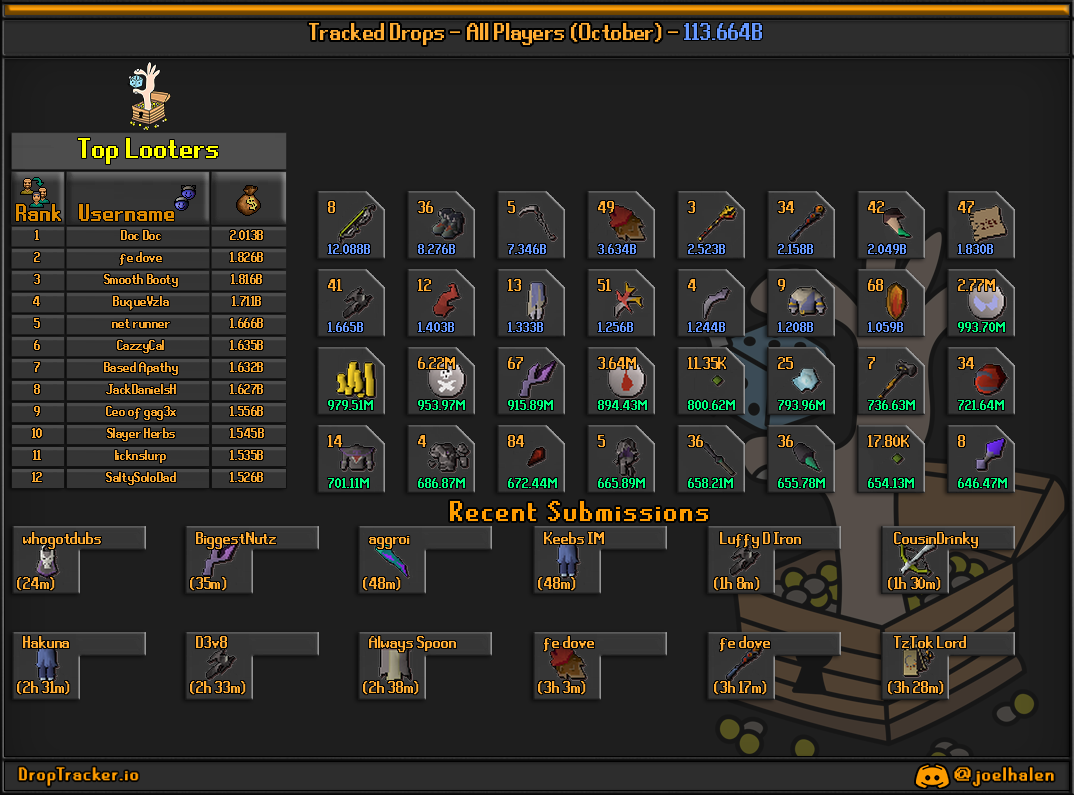
The DropTracker plugin listens for in-game events and sends “submissions” that can be routed to:
- Our own API endpoint (preferred, provides the highest level of reliability)
- Discord webhooks (default, uses discord webhooks as a sole method of communication (one-way))
Tracked events:
- Loot (non-PvP sources)
- Collection log slot unlocks
- Combat achievements
- Personal bests (PBs)
- Quest completions
- Pets
- Experience / level-ups
Search for DropTracker in the RuneLite Plugin Hub and install it.
Many enhanced features require API connectivity (e.g., group config rules, side panel features).
In RuneLite: Configuration (wrench icon) → search DropTracker → API Configuration:
- Enable Use API Connections
- (Optional) keep Receive in-game messages enabled for confirmation notices
In RuneLite: DropTracker config:
- Loot Tracking → enable drops, ensure that the screenshot threshold matches your group's, or your preference.
- PBs / Clogs / CAs / Pets / Quests / XP → toggle each category and screenshot options according to your liking.
The plugin can add a RuneLite side panel for DropTracker-related UI.
- Side Panel → enable Show Side Panel
- Note: the panel is designed to work primarily with Use API Connections enabled.
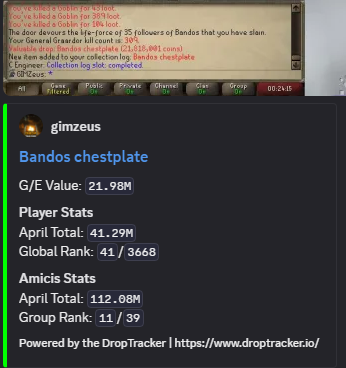
Submissions that qualify for proof capture attach a screenshot of your client.
- A single image file (
image.pngorimage.jpeg, depending on your compression threshold) attached to the submission.
- Event detection
- Drops: triggered by RuneLite loot events
- Achievements: detected via chat messages and widget events (PBs, CAs, Clogs, quests, etc.)
- Qualification
- Locally: your config toggles decide whether the plugin should send a given event type
- Via API (when enabled): the plugin fetches group configs and checks per-group rules (minimum value, screenshot-only groups, stacked item rules, etc.)
- Capture
- If the event type/config exceeds your configured requirements for a screen capture, a screenshot is taken
- Submission
- A webhook payload is posted as multipart form-data (Discord-style
payload_json, regardless of Webhook or API configuration the data is 1:1) - If a screenshot was captured, the image file is attached
- A webhook payload is posted as multipart form-data (Discord-style
These names match what you’ll see in RuneLite’s config UI.
- Loot Tracking
- Enable Loot Tracking: sends loot events
- Screenshot Drops + Screenshot minimum: attaches screen capture for drops above the threshold
- Personal Bests
- Enable PBs: sends PB events
- Screenshot PBs: attaches screen capture when a PB happens
- Collection Logs
- Enable Clogs / Screenshot Clogs
- Note: requires OSRS collection log notification settings (see Troubleshooting)
- Combat Achievements
- Enable CAs / Screenshot CAs
- Pet Tracking
- Enable Pets / Screenshot Pets
- Experience / Level
- Track Experience: sends XP gains
- Enable Levels: sends level-up events
- Screenshot Levels + Minimum Level to Screenshot: screen capture rules for level-ups
- Quest Tracking
- Track Quests / Screenshot Quests
- Miscellaneous
- Hide PMs: hides private chat during proof capture
- Image Compression Threshold (KB): screenshots under this size are sent as lossless PNG; larger ones are compressed to JPEG
- API Configuration
- Use API Connections: enables the DropTracker API integration
- Receive in-game messages: shows confirmations/notices
- Debug Logging: writes extra local debug data to a file
OSRS-side settings are required:
- Settings → Notifications → Collection log: ON
- Ensure game message/popup settings are enabled as required by your OSRS client configuration
- Confirm the category is enabled (Loot/PBs/CAs/etc.)
- If using API features, ensure Use API Connections is enabled
- Check your RuneLite logs folder: Help → Open Logs Folder
- Reach out to us in our Discord server
- Hide PMs (proof capture): optional privacy toggle for screenshot capture (may not always hide messages from prior to the achievement...)
- Network: enabling API features allows outbound connections to DropTracker’s API (see the warning in RuneLite config).
- Docs/Wiki: droptracker.io/wiki
- Discord: Join the DropTracker Discord
See LICENSE