
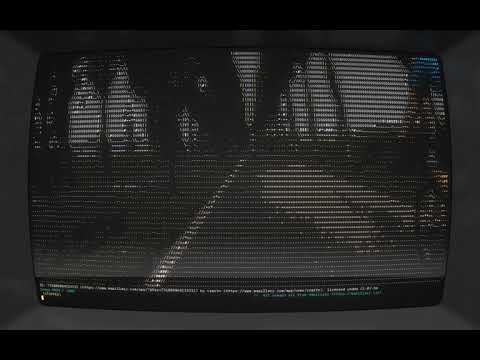
A nostalgic way to wander around the world. Displays street-level imagery in the terminal as ASCII.
Written in ANSI C.
Looks best in cool-retro-term with a width of 182 characters and RGB colors enabled.
(click the thumbnail to play on YouTube)
| Platform | Supported? |
|---|---|
| Fedora 44 | Yes |
| Other GNU/Linux | Probably |
| Windows 11 | No |
| MacOS | No |
- In the future, we may add support for other platforms. Contributions are always welcome!
Just want the precompiled binary? Then head over to the releases and download the appropriate file for your system.
Simply clone the project using git clone https://github.com/perspector/roam
Or alternatively, download the project as a .zip file and extract that to your computer.
Then navigate to the directory, run make to compile, and then continue following the instructions below except use ./roam to run.
You will also need a Mapillary API token, which you can get by making a developer account at Mapillary.
Then just register a new application, add: app name, quick description, and company/university name. You can leave the company website and redirect URL blank.
Make sure to give READ access! Then, just copy the Access Token.
Save your API access token to an environment variable:
In GNU/Linux: export MAPILLARY_TOKEN_ROAM="MLY|0123|456"
Replace "MLY|0123|456" with your access token.
Enter the API access token when prompted by the program.
Tested on Fedora 44 GNU/Linux.
Simply add permissions to execute with chmod +x ./roam_v1_0_0_linux_amd64, then run with ./roam_v1_0_0_linux_amd64 from the terminal.
Be sure to replace roam_v1_0_0_linux_amd64 with your downloaded version.
Alternatively, try double-clicking the file (may need permissions to execute as a program).
If you would like to build the code yourself, you can compile and run with
make
./roam
Or for more detailed output:
gcc -g -fsanitize=address -fno-omit-frame-pointer main.c ascii-view/src/image.c ascii-view/src/print_image.c -lcurl -lcjson -lm -Iascii-view/include && ./a.out
- Mapillary for excellent crowdsourced street-level imagery, also with a nice API
- Everyone who contributed to the platform!
- Xander Gouws for an incredible ASCII viewer ascii-view
- His video on the topic is phenomenal
- Nominatim for a wonderful geocoding API