
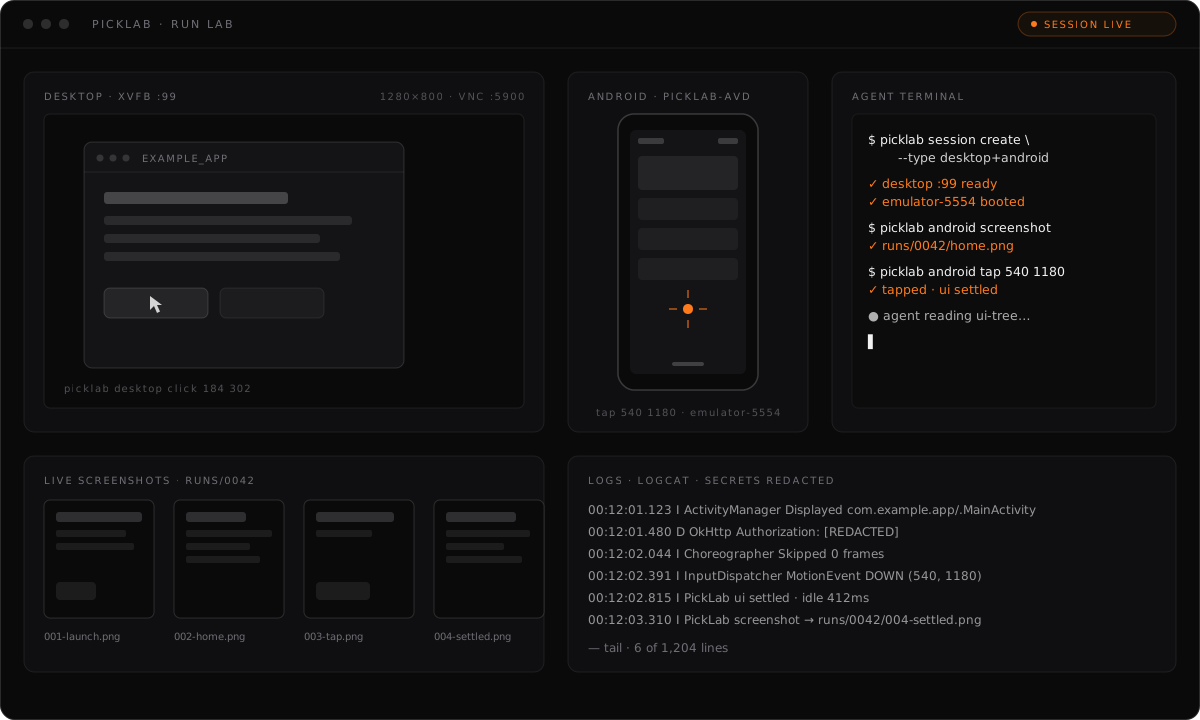
Playwright for native apps and Android emulators. PickLab gives AI coding agents eyes, hands, and a reproducible lab: desktop sessions on Xvfb, Android emulators on a dedicated AVD, screenshots, input, logs, and run artifacts — over a CLI and an MCP server.
PickForge builds the app. PickLab lets agents see, run, and test it. PickArena measures the results.
Local-first. Open source. Built for people who ship.
Let your coding agent do the whole setup — paste this into its prompt:
Install and configure PickLab by following https://raw.githubusercontent.com/pickforge/picklab/main/INSTALL.md
Or install by hand:
curl -fsSL https://pickforge.dev/picklab/install.sh | shOr without installing:
npx -y @pickforge/picklab doctor
bunx @pickforge/picklab doctor
Or globally:
npm install -g @pickforge/picklab
bun add -g @pickforge/picklab
This ships two binaries: picklab (CLI) and picklab-mcp (MCP stdio server). The installer never uses sudo.
The Chrome DevTools relay requires Node.js ^20.19.0, ^22.12.0, or >=23.0.0.
cd your-app
picklab init --profile desktop+android   # write project config and provision the AVD (lab user is opt-in: --create-lab-user)
picklab doctor                           # verify dependencies; --fix repairs what it can
picklab session create --type desktop+android
picklab desktop launch ./build/your-app
picklab watch                              # attach a read-only host viewer
picklab desktop screenshot
picklab android install-apk build/app-release.apk
picklab android launch-app com.example.app
picklab android screenshot
picklab artifacts report                 # render the latest run
picklab session destroy --all
Every screenshot, log, and action lands in .picklab/runs/<runId>/ with a manifest, so a run is inspectable and reproducible after the fact.
Computer-use tools record one session-scoped evidence run by default. MCP
desktop, Android, and session actions share the same append-only timeline as
browser DevTools actions. Destroying a session, or reaping a dead one, finalizes
the run and writes a static report.html filmstrip.
A finalized evidence run under .picklab/runs/<runId>/ contains:
manifest.json— run identity, status, and evidence metadataactions.jsonl— authoritative, append-only sanitized action timelinereport.html— escaped, no-script human filmstrip generated at finalizationscreenshots/andlogs/— associated artifacts, when explicitly captured
Typed values are stored only as length and input type. Network failures keep only allowlisted method, URL origin/path without its query, status, resource type, timing, and sanitized error metadata; headers and bodies are never kept. PickLab does not take implicit screenshots for input actions. Explicit screenshot tools still capture the screen exactly as displayed.
The journal and associated artifacts have a 100 MiB recording threshold per run. The record that crosses the threshold may exceed it; PickLab then writes a durable metadata-only truncation marker and stops appending further payloads. Only the latest 20 finalized evidence runs are retained; active/running and legacy runs are never pruned.
Evidence recording is enabled by default. Disable the action timeline for a
project in .picklab/config.json:
{
  "evidence": {
    "enabled": false
  }
}
This does not block an explicitly requested screenshot command. Screenshot pixels cannot be redacted; see SECURITY.md.
Each session gets its own isolated display or emulator, so several agents and projects can run labs side by side. When a command or tool is called without an explicit session id, the default resolves per project: only running sessions created for the same project directory are considered. Pass session ids (CLI: --session <id>) to target a specific lab, including one belonging to another project.
picklab browser devtools-mcp is intentionally stricter: it always resolves exactly one live browser session for the current project. It does not accept a session id, browser URL, or WebSocket endpoint.
When the picklab CLI or picklab-mcp server hits a fatal error, it reports the error message and stack trace — the message can reference the failing command and its output, with secrets redacted — plus OS, Node.js, and app versions to Sentry so we can fix it. Nothing else is collected. Disable with PICKLAB_TELEMETRY=0.
Register the MCP server with your coding agent:
picklab agents install claude-code   # also: codex, cursor
picklab agents list
picklab agents doctor
For any other agent, add the stdio server yourself:
{
  "mcpServers": {
    "picklab": {
      "command": "picklab",
      "args": ["mcp", "serve"]
    },
    "picklab-browser": {
      "command": "picklab",
      "args": ["browser", "devtools-mcp"]
    }
  }
}
picklab-browser is static. Each invocation discovers the one live browser session for the agent's project and derives its loopback CDP URL in memory, so recreating a session never requires an agent config edit. The relay runs the bundled, exact chrome-devtools-mcp@1.5.0; it does not use npx or connect to a personal browser.
Custom agents can be stored under ~/.picklab/agents:
picklab agents add --name my-agent --mcp-command "picklab mcp serve"| Group | Commands |
|---|---|
| Setup | doctor, init, setup lab-user, setup android |
| Sessions | session create, session status [id], session destroy <id|--all> |
| Watch | watch [--session <id>] |
| Desktop | desktop launch <cmd>, desktop screenshot, desktop click <x> <y>, desktop move <x> <y>, desktop scroll <deltaX> <deltaY>, desktop drag <fromX> <fromY> <toX> <toY>, desktop double-click <x> <y>, desktop type <text>, desktop key <keys> |
| Android | android start, android install-apk <apk>, android launch-app <pkg>, android screenshot, android tap <x> <y>, android type <text>, android back, android home, android ui-tree, android logcat, android adb [args...] |
| Artifacts | artifacts list, artifacts open <runId>, artifacts report [runId] |
| Agents | agents list, agents install <agent>, agents link <agent>, agents unlink <agent>, agents doctor, agents add |
| Browser | browser devtools-mcp |
| MCP | mcp serve |
Session types: desktop (Xvfb, optional VNC), android (emulator on the dedicated AVD), desktop+android, and browser (isolated headed Chrome with loopback CDP). Most commands accept --json for machine-readable output and --project-dir to target another project.
session create --vnc is read-only. When a human must enter a password, API key, or OTP directly into the lab app, --vnc-control creates an explicitly writable VNC session instead. Pause agent input while using it; coordinated human takeover is tracked separately.
Scroll deltas are integer wheel steps: positive deltaY scrolls down, negative up; positive deltaX scrolls right, negative left (put negative values after --, e.g. picklab desktop scroll -- 0 -3). desktop scroll accepts --at <x,y> to position the pointer first; desktop drag accepts --button and --duration <ms>; desktop double-click accepts --button and --interval <ms>.
picklab watch [--session <id>] attaches a normal host-side VNC window to an
already-running desktop-capable session. It lazily starts one loopback-only,
server-enforced read-only x11vnc server and reuses it on later watches. Closing
the viewer leaves x11vnc, Xvfb, and the session running. With no matching
session it prints the create command; with multiple matches it fails closed
until --session selects one.
Desktop capability is resolved from the persisted desktop leg rather than the
session type, so browser sessions are watchable without watch-specific browser
contracts.
Viewer launch defaults to manual. Set it globally or in
.picklab/config.json for a project:
{
  "viewer": {
    "mode": "auto"
  }
}
session create --viewer and session create --no-viewer override that mode
for one desktop or browser creation. If the host has no graphical session or
supported client
(remote-viewer from virt-viewer, or a TigerVNC-compatible vncviewer),
PickLab opens nothing and prints the loopback endpoint, install guidance, and
an SSH tunnel command instead.
Explicit picklab watch waits until the viewer closes and fails if the client
exits nonzero or on a signal, while leaving the session and VNC running.
Automatic or session create --viewer launch returns as soon as the client
starts, so the viewer never owns or delays session creation. A requested attach
failure is reported alongside the successfully created session. --viewer and
--vnc-control are rejected together before creation; viewer.mode: "auto" is
reported as suppressed for an explicitly writable --vnc-control session.
picklab mcp serve exposes 26 tools over stdio:
- Sessions:
session_create,session_status,session_destroy - Desktop:
desktop_launch,desktop_screenshot,desktop_click,desktop_move,desktop_scroll,desktop_drag,desktop_double_click,desktop_type,desktop_key - Android:
android_start,android_install_apk,android_launch_app,android_screenshot,android_tap,android_type,android_back,android_home,android_get_ui_tree,android_logcat,android_run_adb - Artifacts:
artifact_list,artifact_report - User:
request_user_input— ask the human a question (via MCP elicitation when the client supports it) and wait for the answer; never used for secrets
Resources, addressable as picklab:// URIs:
picklab://runs— recorded runspicklab://runs/{runId}/manifest— run manifestpicklab://runs/{runId}/screenshots/{name}— screenshotspicklab://runs/{runId}/logs/{name}— logspicklab://runs/{runId}/actions— sanitized action timeline JSONpicklab://runs/{runId}/report— static HTML evidence filmstrippicklab://sessions/{sessionId}/status— session liveness The status includes a read-only viewer endpoint/readiness report when VNC is present. MCP never opens a host GUI; only the CLI launches viewer windows.
Prompts: test-flutter-desktop-visually, debug-android-apk, run-visual-regression-check.
A TypeScript monorepo. @pickforge/picklab is the published package; the rest are internal and bundled into it.
| Package | Role |
|---|---|
packages/core |
Config, sessions, artifacts, manifests, process supervision |
packages/desktop-linux |
Xvfb, VNC, window, input, and screenshot automation |
packages/android |
AVD, emulator, ADB, UIAutomator, and logcat orchestration |
packages/browser |
Isolated Chrome sessions and the session-aware DevTools MCP relay |
packages/mcp-server |
MCP tools, resources, and prompts |
packages/agent-installers |
Codex, Claude Code, Cursor, and custom agent registration |
packages/cli |
The picklab and picklab-mcp binaries |
- MCP tools never invoke sudo. Privileged provisioning happens only through the CLI (
picklab setup lab-user, orinitwith explicit--create-lab-user), with explicit consent (--yesor a prompt). - All user inputs are spawned as argument arrays — never interpolated into shell strings.
- The DevTools relay validates the installed upstream package name, exact version, declared bin, and confined real path before spawning Node with an argument array. Its browser URL is always derived as
http://127.0.0.1:<session-cdp-port>. - Relay stdout is protocol-only. A pending JSON-RPC record is capped at 16 MiB. Upstream diagnostic lines are capped at 64 KiB, redacted, and forwarded only to stderr; an over-limit line is dropped with a safe notice. Upstream update checks and usage statistics are disabled.
- VNC binds to loopback only by default:
x11vncis started with-localhost, so the server listens on127.0.0.1and is not reachable from the network. Tunnel over SSH for remote access. Normal--vncandpicklab watchobservation is server-enforced read-only (-viewonly); viewer exit never stops the session or its Xvfb/VNC processes.--vnc-controlis an explicit writable escape hatch for human secret entry and does not yet coordinate with agent input. - Artifacts are redacted by default: logcat output strips tokens and secrets before it is stored or returned. Only
android adbis raw, and it says so. - Evidence timelines persist only allowlisted metadata; typed values become length/type metadata, and network headers, bodies, and URL queries are dropped. Static HTML reports escape page-controlled text and use a no-script, no-network CSP.
- Screenshot files contain raw pixels and cannot be redacted. Avoid explicit captures on screens containing secrets, and use
evidence.enabled: falsewhen an action timeline is not appropriate. See SECURITY.md. - PickLab provisions a dedicated locked lab user (
picklab-lab) and a dedicated AVD (picklab-avd) so lab workloads do not borrow your personal resources. Running session processes under the lab user is planned post-MVP. - Agent config edits are atomic, with backups of the previous config.
bun install
npm run build       # bundle all packages
npm run typecheck
npx vitest runMIT — see LICENSE.
