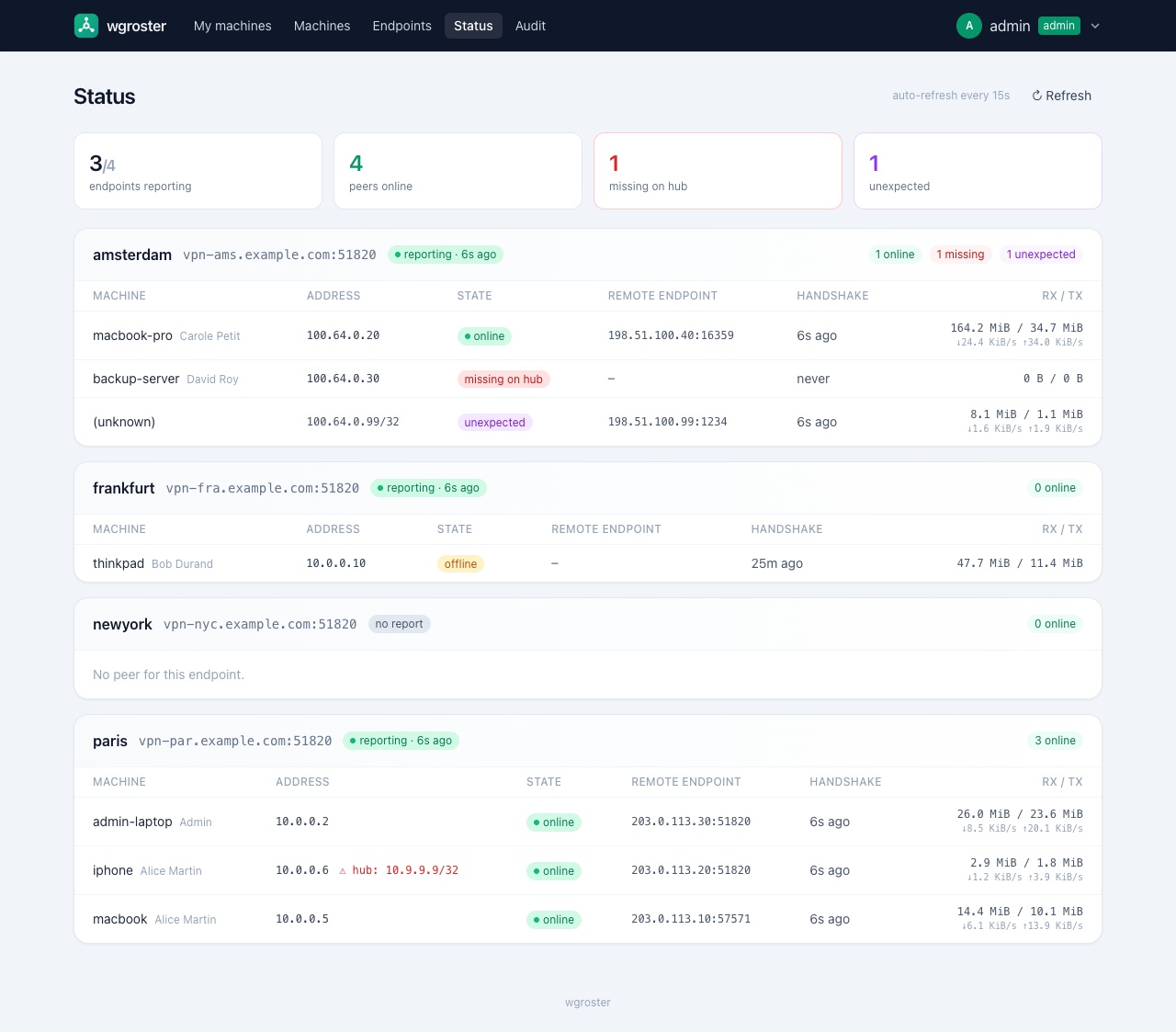
Self-service WireGuard configs and live fleet status.
wgroster is a minimalist, self-hosted portal where users grab their own WireGuard configuration and admins keep a live view of every concentrator and peer across the fleet.
It is tracking-only: it is the source of truth for who gets which config and shows what each concentrator reports, but it never connects to or writes to your WireGuard servers. Provisioning peers on the servers stays in your hands — manually, via Ansible, or via the bundled agent that runs on the concentrator.
- Self-service — sign in with LDAP, register a machine by pasting its public
key (the private key never reaches the server), or generate a key pair in the
browser. Download a ready-to-use
.confor scan a QR code. Optional scan-once self-enrollment for mobile. - Administration — declare VPN endpoints (concentrators), approve or create machines, assign unique IPs from a global pool, and link a machine to one or more endpoints for multi-site setups.
- Source of truth & drift detection — concentrators push
wg show dump; wgroster flags online / offline / missing-on-hub / unexpected peers and AllowedIPs mismatches, and exposes the expected peer list for reconciliation. - Observability — live status dashboard with per-peer throughput and traffic
history, optional offline GeoIP, a Prometheus
/metricsendpoint, an alert webhook, and an admin audit log.
Single static Go binary (pure-Go SQLite, no CGO), self-hosted embedded front-end assets, strict CSP, and a distroless container image.
-
Main repository: wgroster/wgroster
-
Container image:
ghcr.io/wgroster/wgroster -
Quickstart (Docker, no LDAP, ~2 min):
mkdir -p data
cat > config.yaml <<'EOF'
listen: ":8080"
session_key: "dev-only-change-me"
database: "/data/wgroster.db"
vpn_cidr: "10.0.0.0/16"
local_admin:
  username: "admin"
  password: "admin"      # dev only; use password_hash in production
EOF
docker run --rm -p 8080:8080 \
  -v "$PWD/config.yaml:/config/config.yaml:ro" \
  -v "$PWD/data:/data" \
  ghcr.io/wgroster/wgroster:latest
Then open http://127.0.0.1:8080 and sign in as
admin/admin.
See the README for configuration, the concentrator agent, monitoring, and the production checklist.
Apache License 2.0.
Sponsored by